*RUJUK VERSI BAHASA MALAYSIA DI BAWAH*
By default, a user on your store can checkout as either a registered customer or a guest. What's the difference between the two roles?
Registered Customers
Customers are those that have an account on your store that they can log in to. That means that either during checkout or from the My Account page, they opted to create an account and now have their details saved on your store for future purchases.
Guests
Guests on the other hand are those users that have made a purchase from your store but didn't create an account. Of course, orders made by guests show up alongside orders made by customers in the Orders Details.
HOW TO REGISTER CUSTOMER
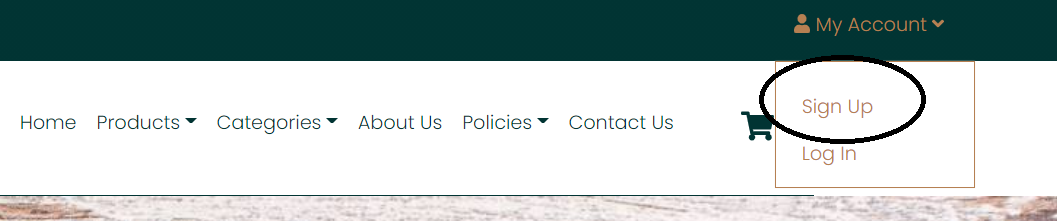
1. Go to website and hover to My Account and click Sign Up
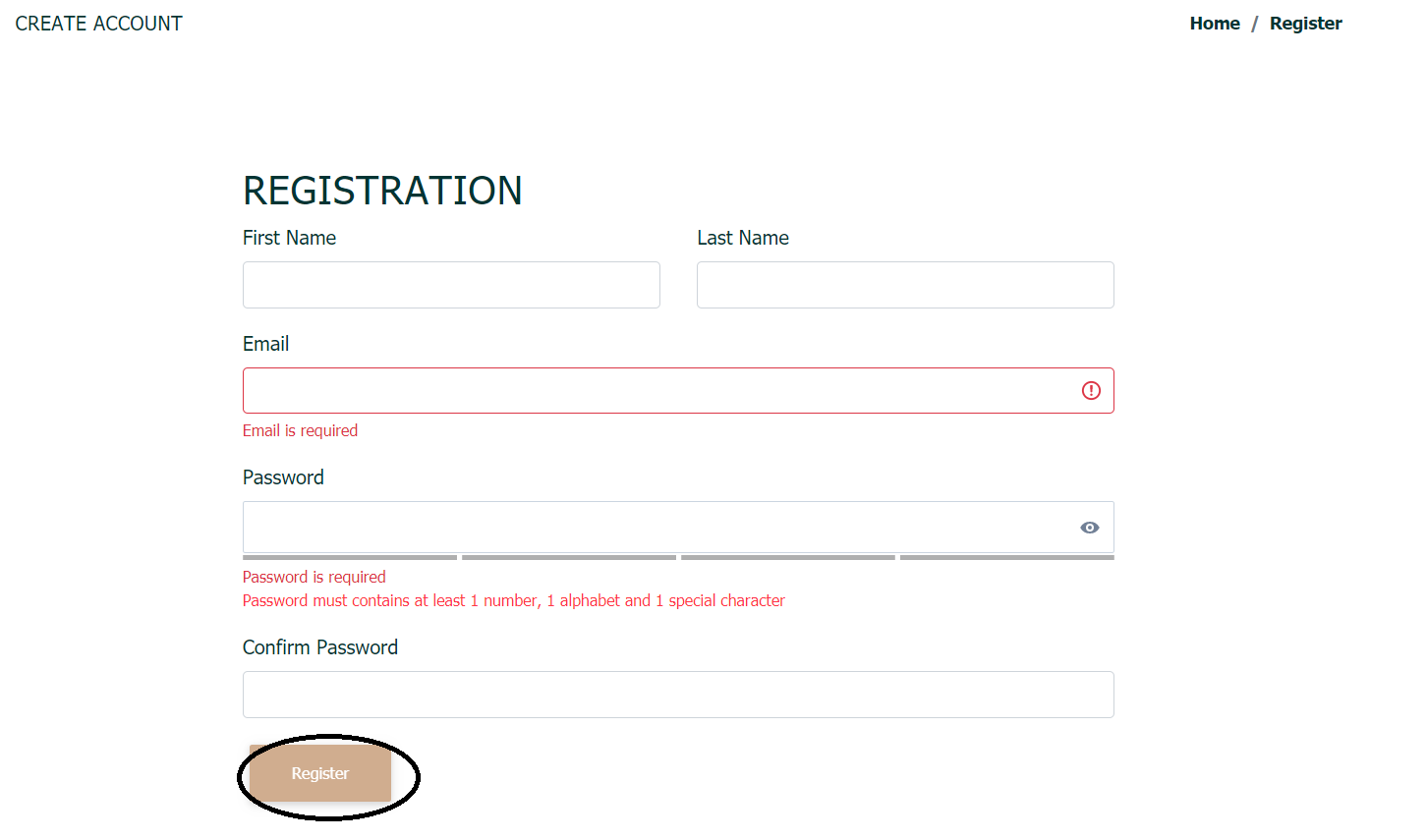
2. Then, fill in all required information. After successfully filled in all information, click Register
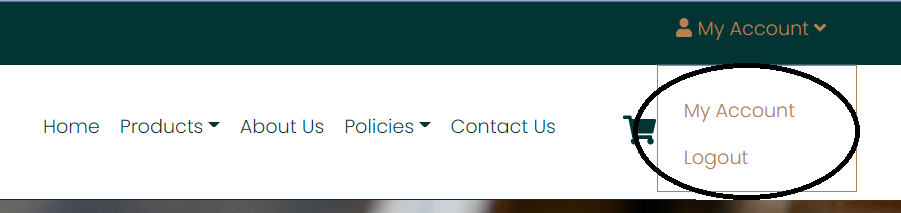
3. Then, you will be directed to the Homepage of the webstore and you can view and logout your account
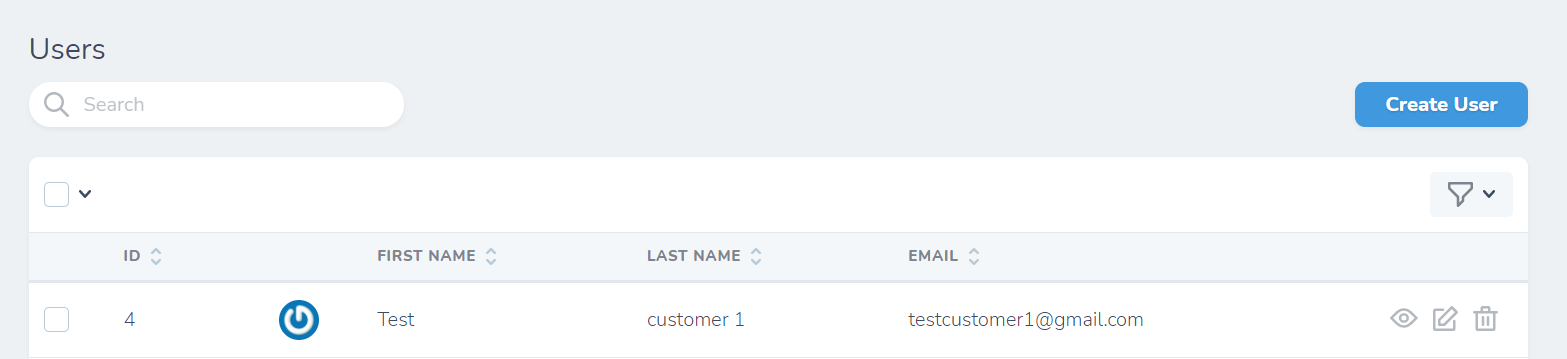
4. Registered customer will also be included in Users tab.
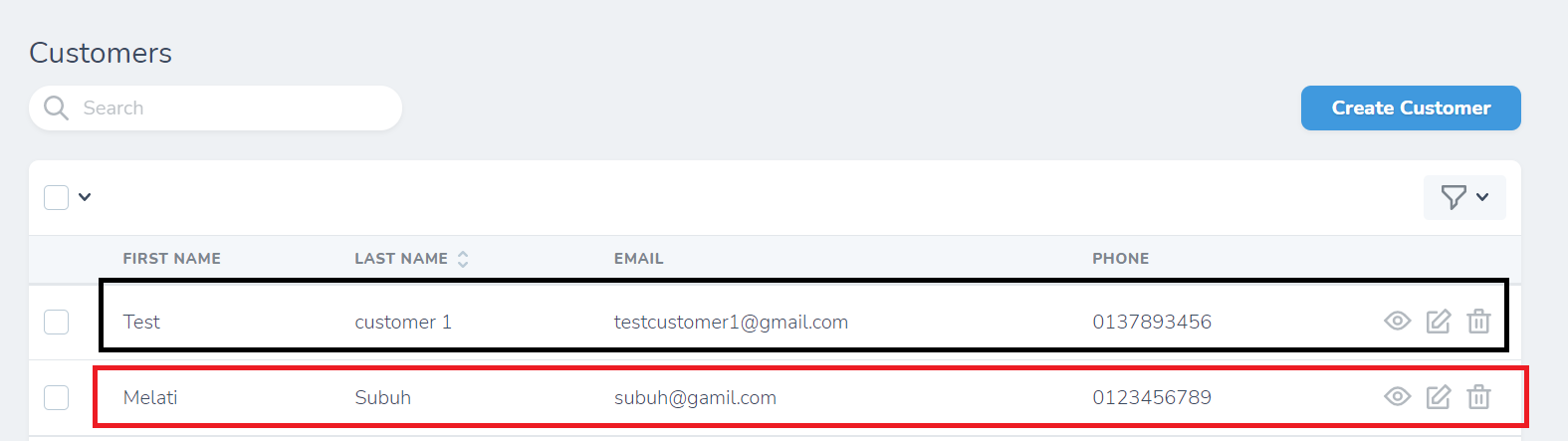
5. As for guest customer, customer doesn't need to register and can buy product from the webstore. But their details won't be saved in Users tab. Their data will only appear in Customers tab including the Registered Customers.
Note: Guest customer is a non-registered customer where they don't have an account to the webstore but still can purchase product from there
Black outline: Registered customer
Red outline: Guest customer
VERSI BAHASA MALAYSIA
Secara default, pengguna di kedai anda boleh membuat pembayaran sebagai pelanggan berdaftar atau tetamu. Apakah perbezaan antara kedua-dua peranan itu?
Pelanggan Berdaftar
Pelanggan adalah mereka yang mempunyai akaun di kedai anda yang boleh mereka log masuk. Ini bermakna bahawa semasa membuat pembayaran atau dari halaman My account, mereka memilih untuk membuat akaun dan sekarang menyimpan butirannya di kedai anda untuk pembelian di masa hadapan.
Pelanggan Teamu
Tetamu sebaliknya adalah pengguna yang telah membuat pembelian dari kedai anda tetapi tidak membuat akaun. Sudah tentu, pesanan yang dibuat oleh tetamu muncul di samping pesanan yang dibuat oleh pelanggan dalam Orders Details.
CARA MENDAFTAR PELANGGAN
1. Pergi ke kedai web dan pergi ke My Account dan klik Sign Up
2. Kemudian, isikan semua maklumat yang diperlukan. Setelah berjaya mengisi semua maklumat, klik Register
3. Kemudian, anda akan diarahkan ke Laman Utama kedai web dan anda dapat melihat dan log keluar akaun anda.
4. Pelanggan yang berdaftar juga akan dimasukkan ke dalam tab Users.
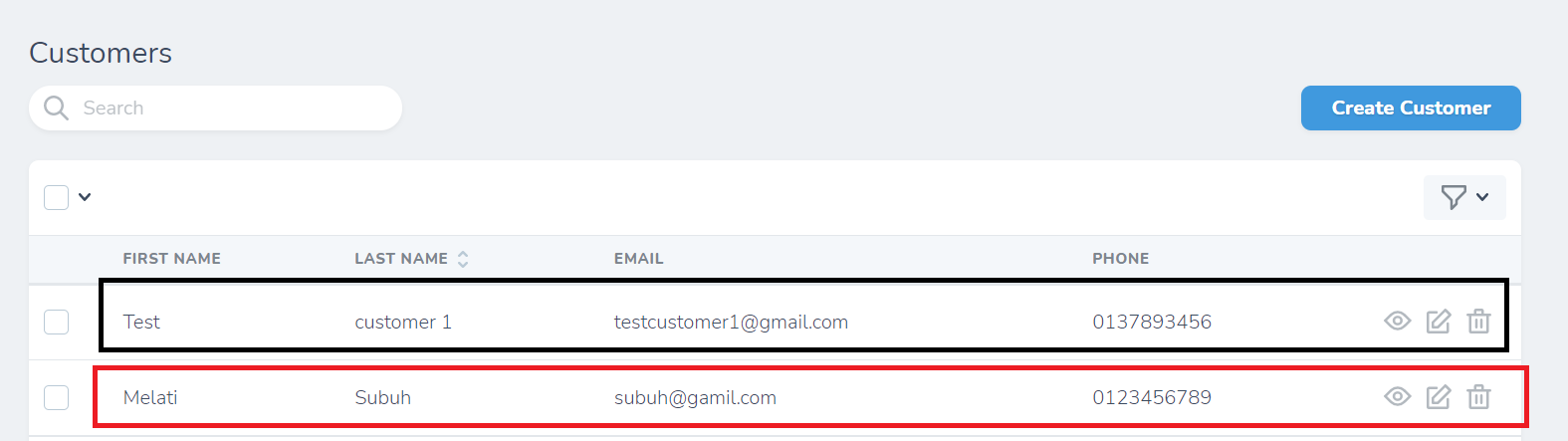
5. Bagi pelanggan tamu, pelanggan tidak perlu mendaftar dan dapat membeli produk dari kedai web. Tetapi perinciannya tidak akan dsimpan di tab Users. Data mereka hanya akan muncul di tab Customers tab termasuk Pelanggan Berdaftar.
Nota: Pelanggan tetamu adalah pelanggan yang tidak berdaftar di mana mereka tidak mempunyai akaun di kedai web tetapi dapat membeli produk dari situ.
Outline Hitam: Pelanggan berdaftar
Outline Merah: Pelanggan tetamu
Was this article helpful?
That’s Great!
Thank you for your feedback
Sorry! We couldn't be helpful
Thank you for your feedback
Feedback sent
We appreciate your effort and will try to fix the article