*RUJUK VERSI BAHASA MALAYSIA DI BAWAH*
- Register
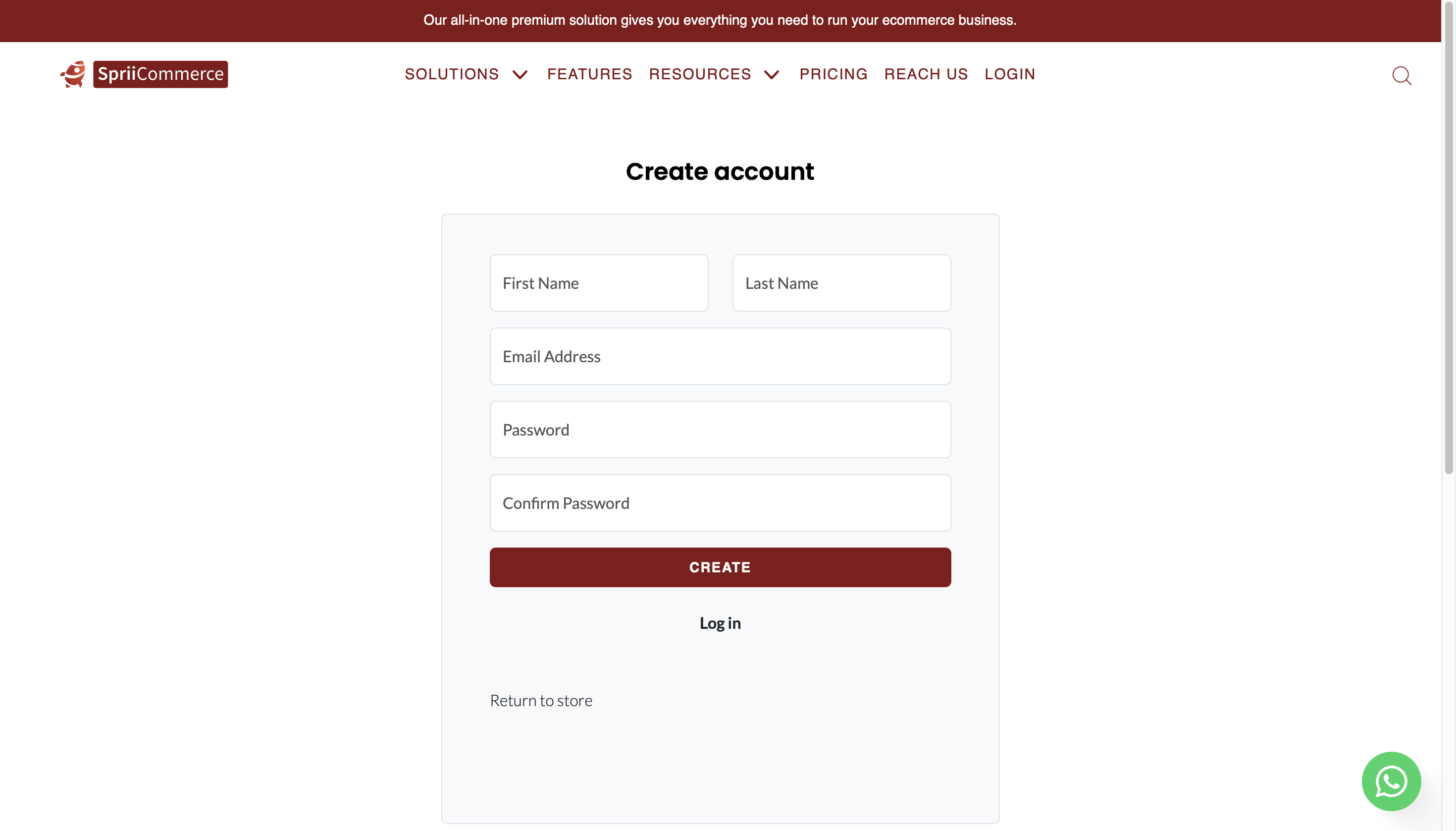
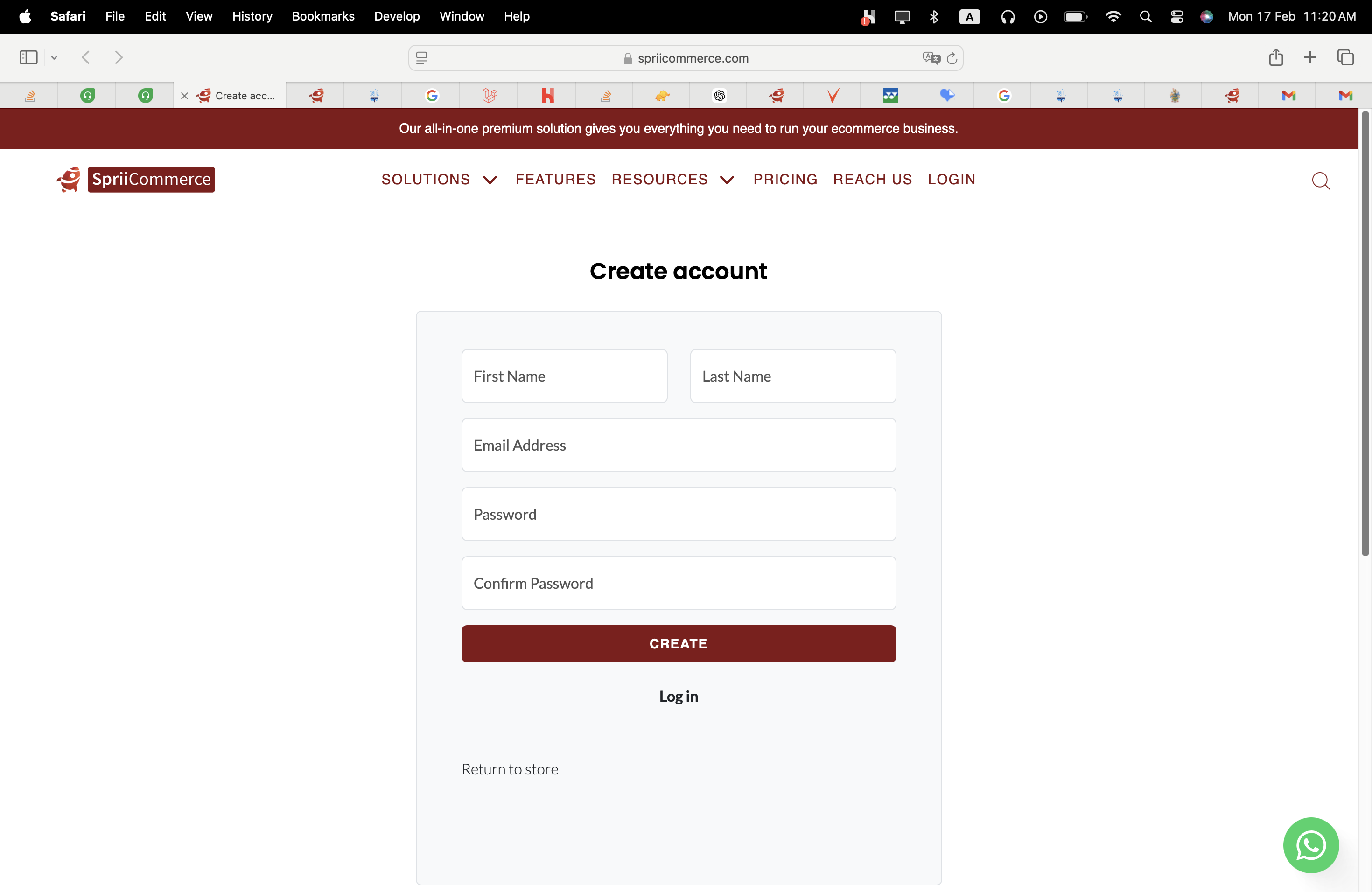
- Please click on the provided link to complete the registration process. > https://spriicommerce.com/register
- Please provide the necessary information in the form.
- Verify Email
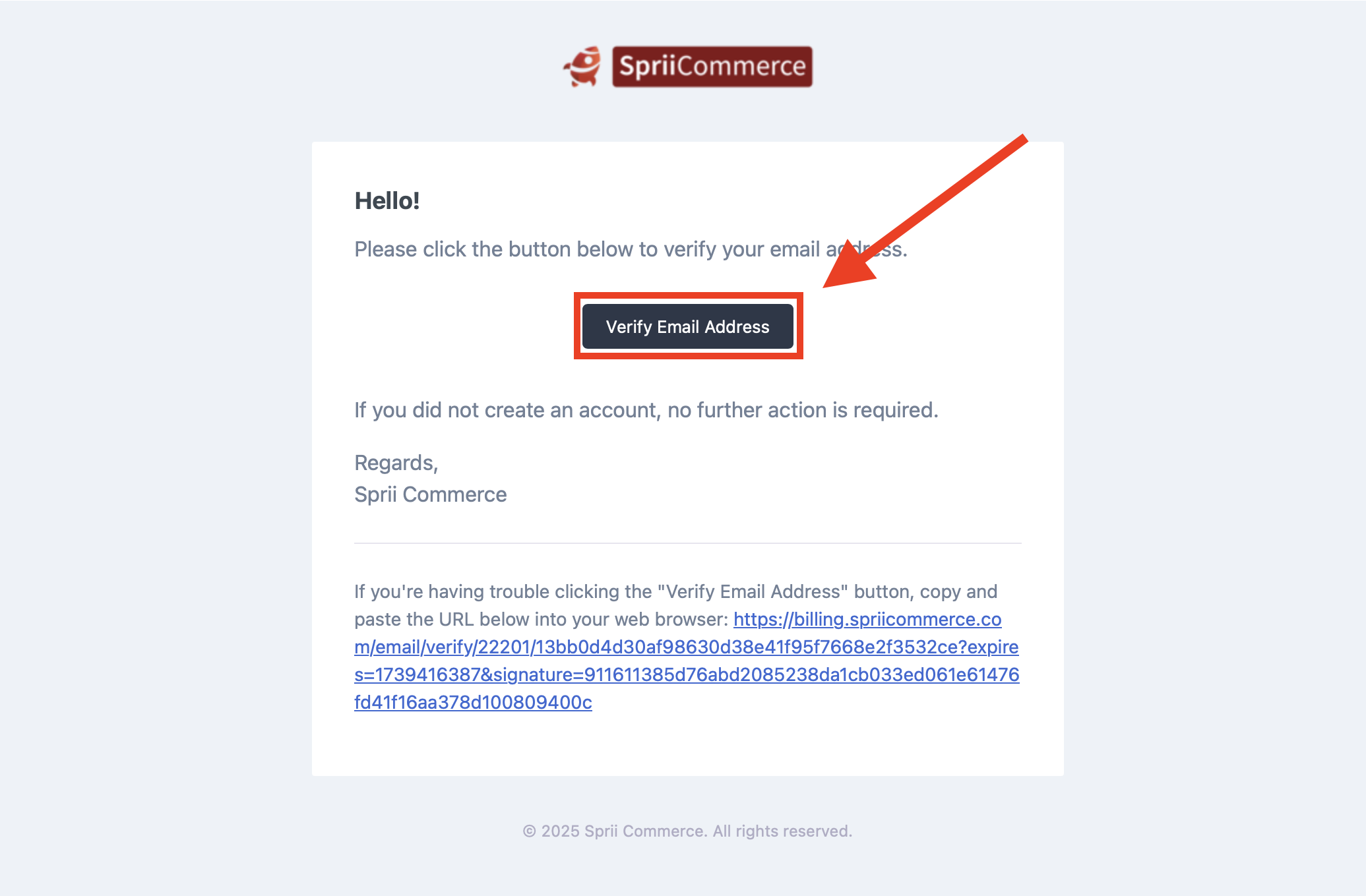
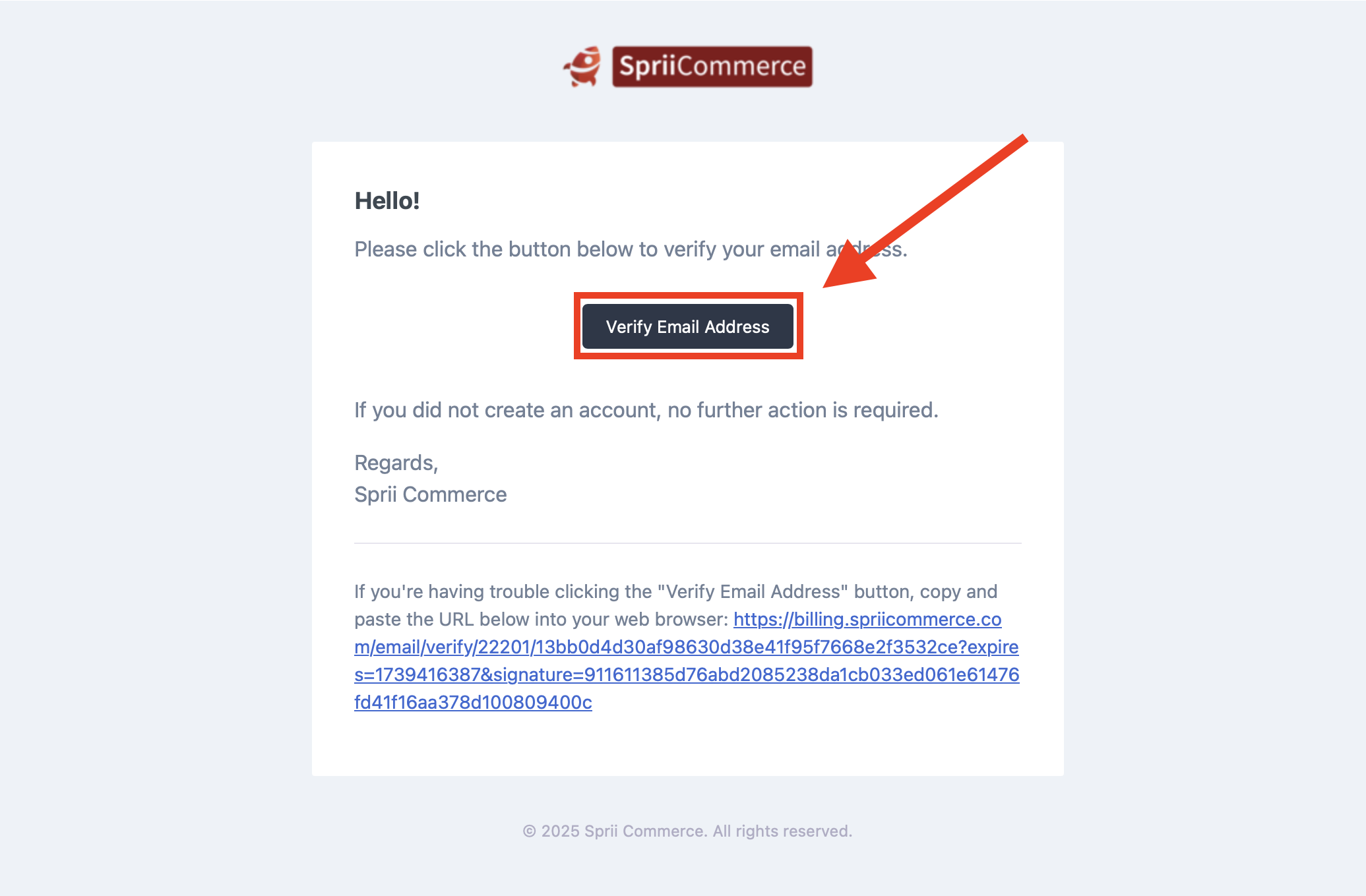
- Please check the email address you used for registration.
- Please locate and click on the button labeled "Verify Email Address".
- Login
- To login, click this link > https://spriicommerce.com/login
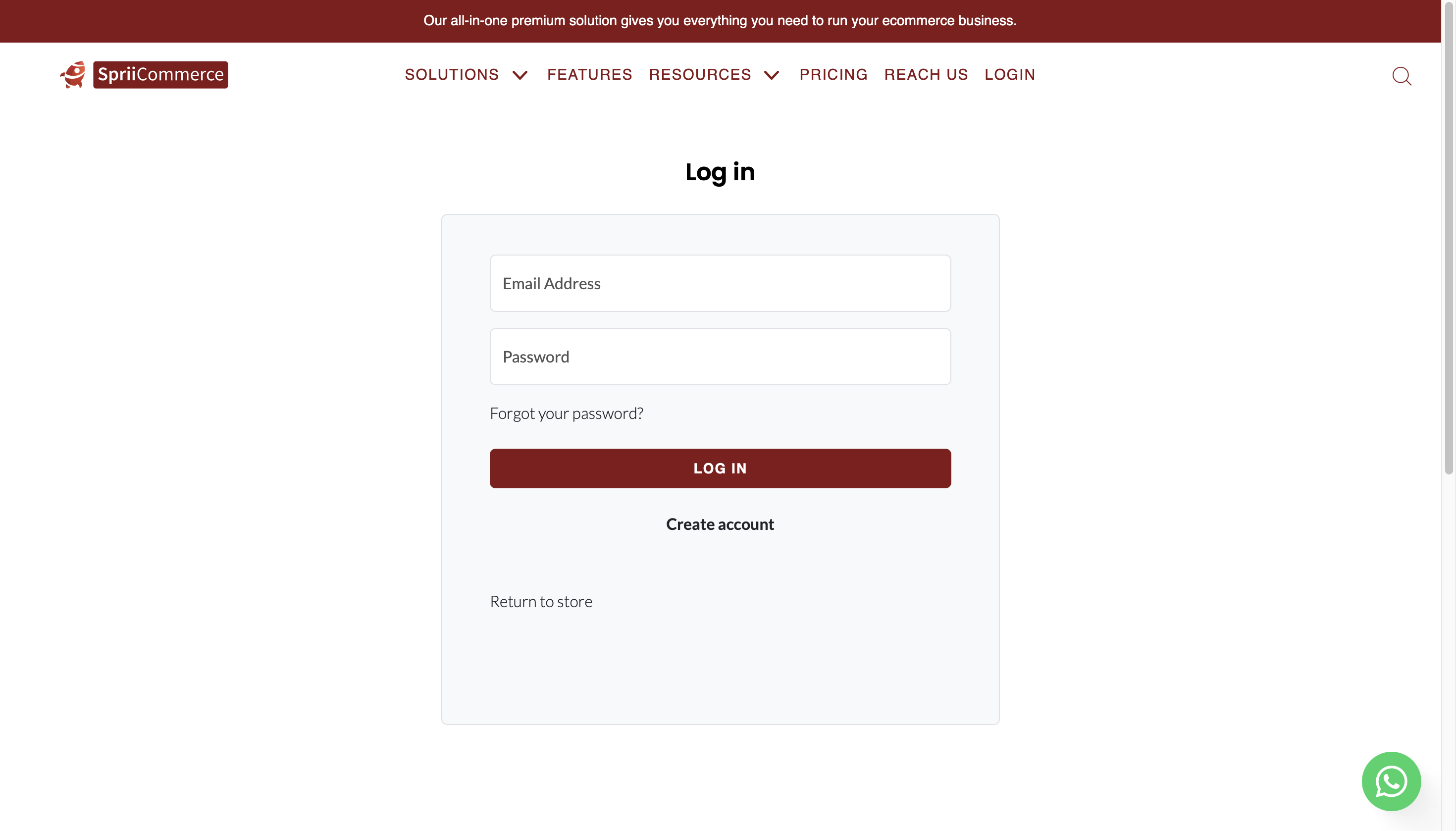
- To login, click this link > https://spriicommerce.com/login
- Change your plan
- Click the "CHANGE PLAN" button.
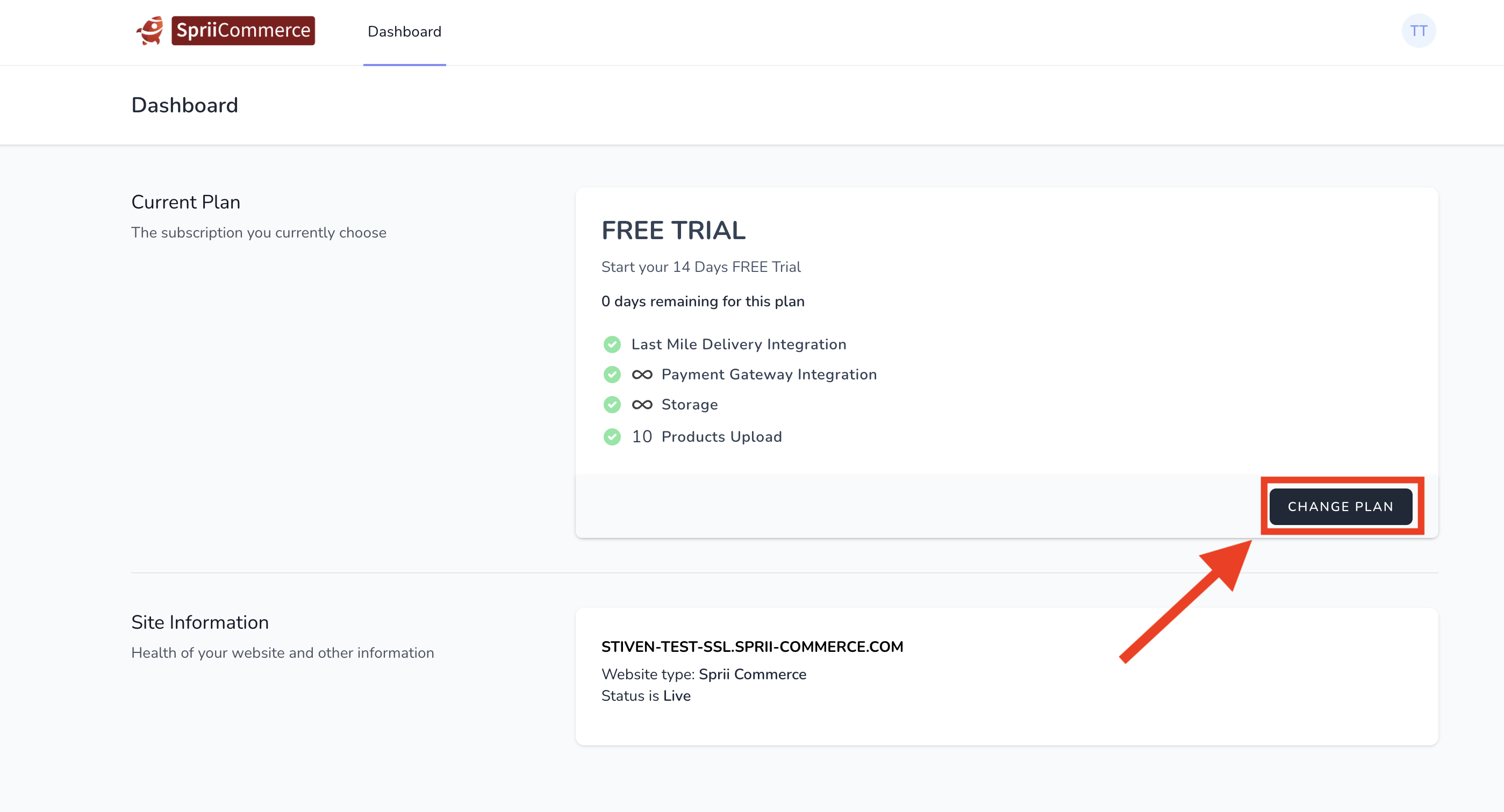
- Click the "CHANGE PLAN" button.
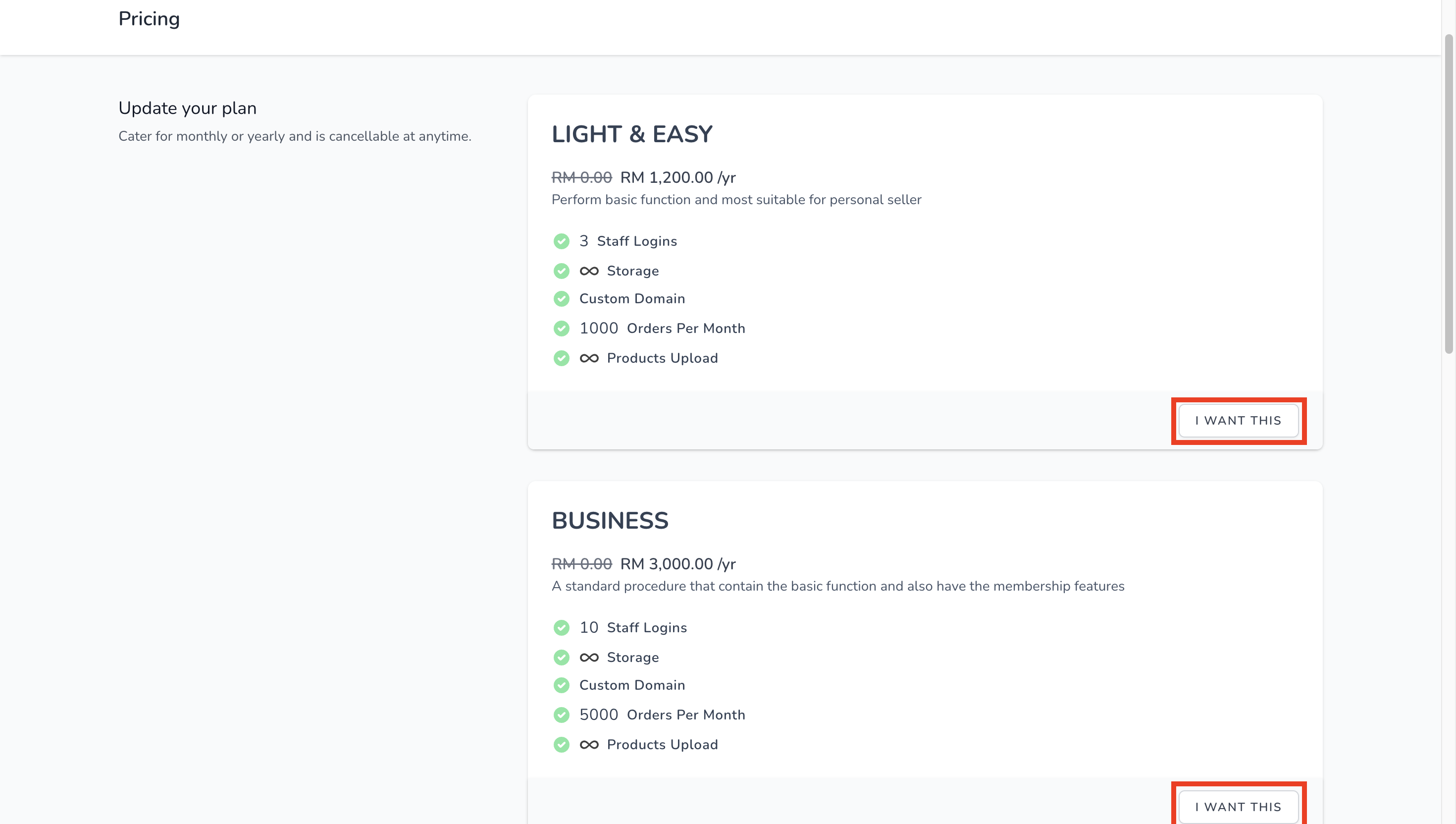
- Select your package
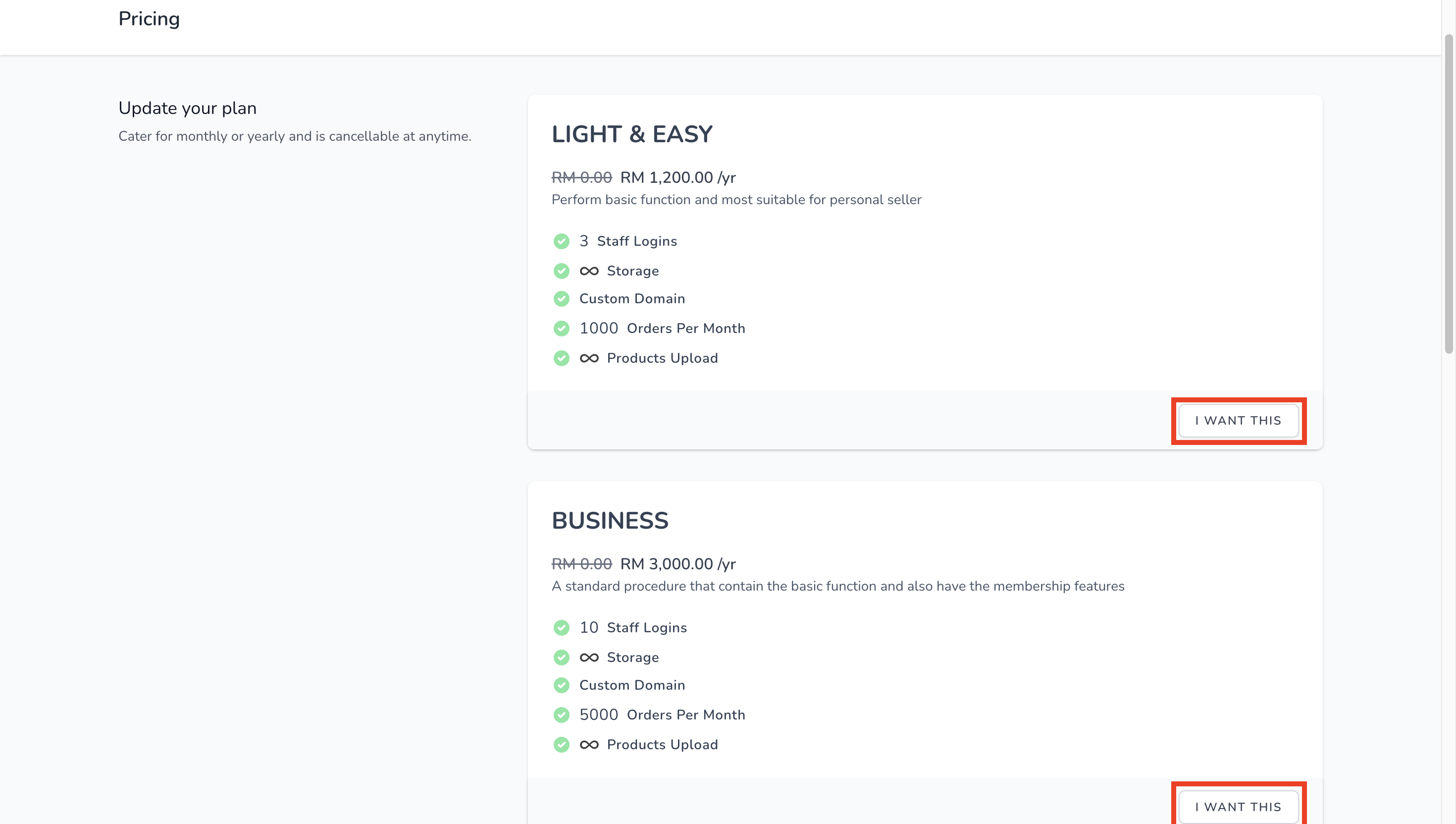
- Select the package you want to subscribe.
- Click "I WANT THIS" button.
- Select the payment method
- Select the payment method.
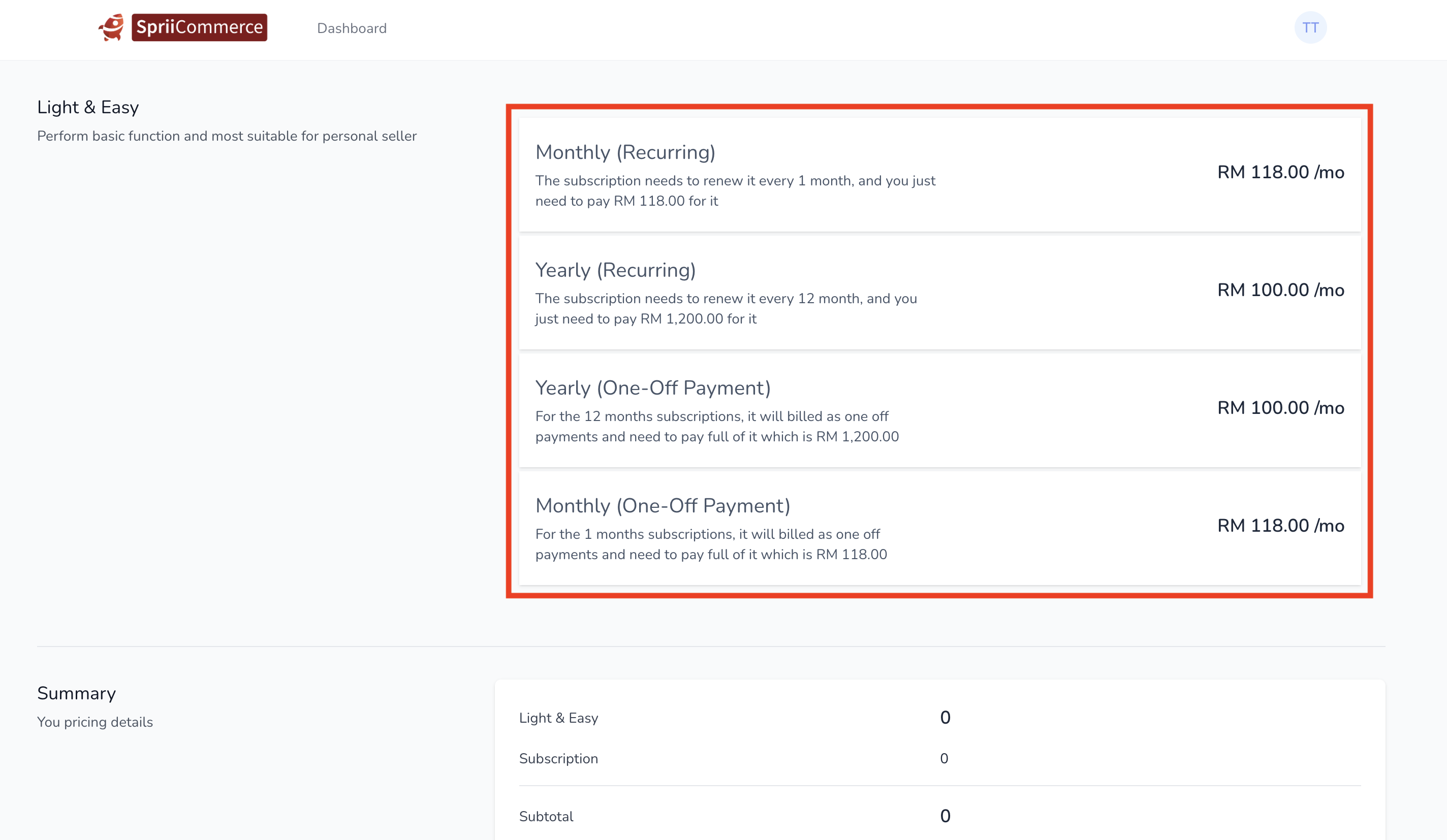
- Select the payment method.
- Promo Code
- Fill in Promo Code if available
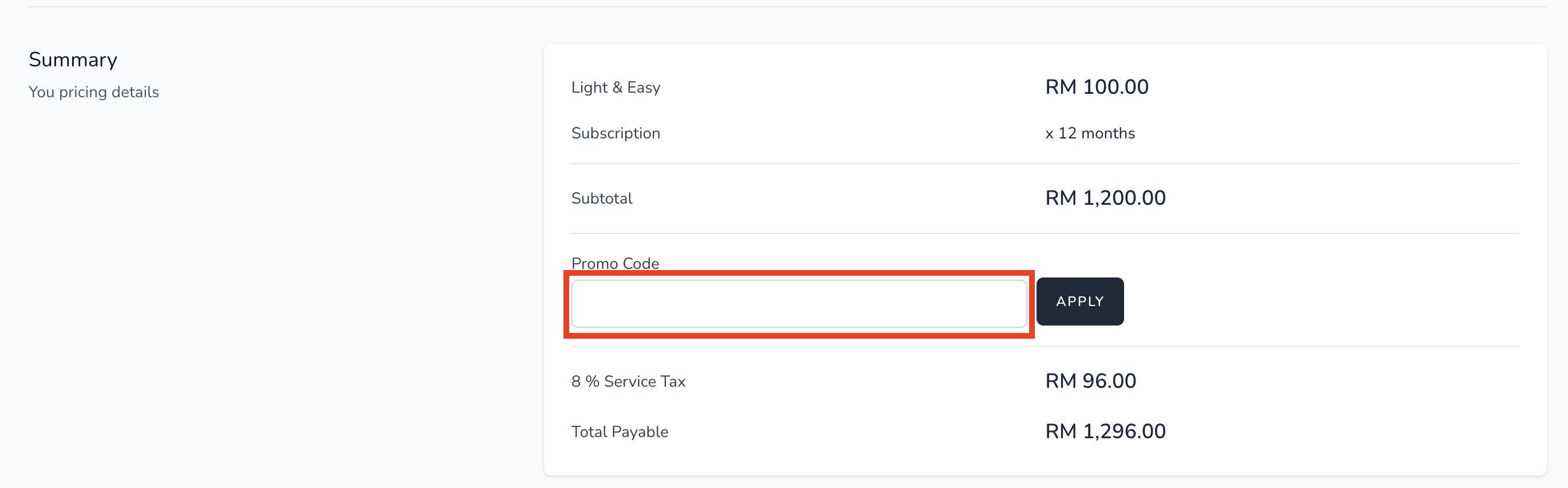
- Fill in Promo Code if available
- Billing information
- Fill in your billing information.
- Fill in your billing information.
- Pay now
- Once double confirm again you had select the package, payment method, fill in the billing information and the domain information. Then you can "PAY NOW" button and complete the payment.
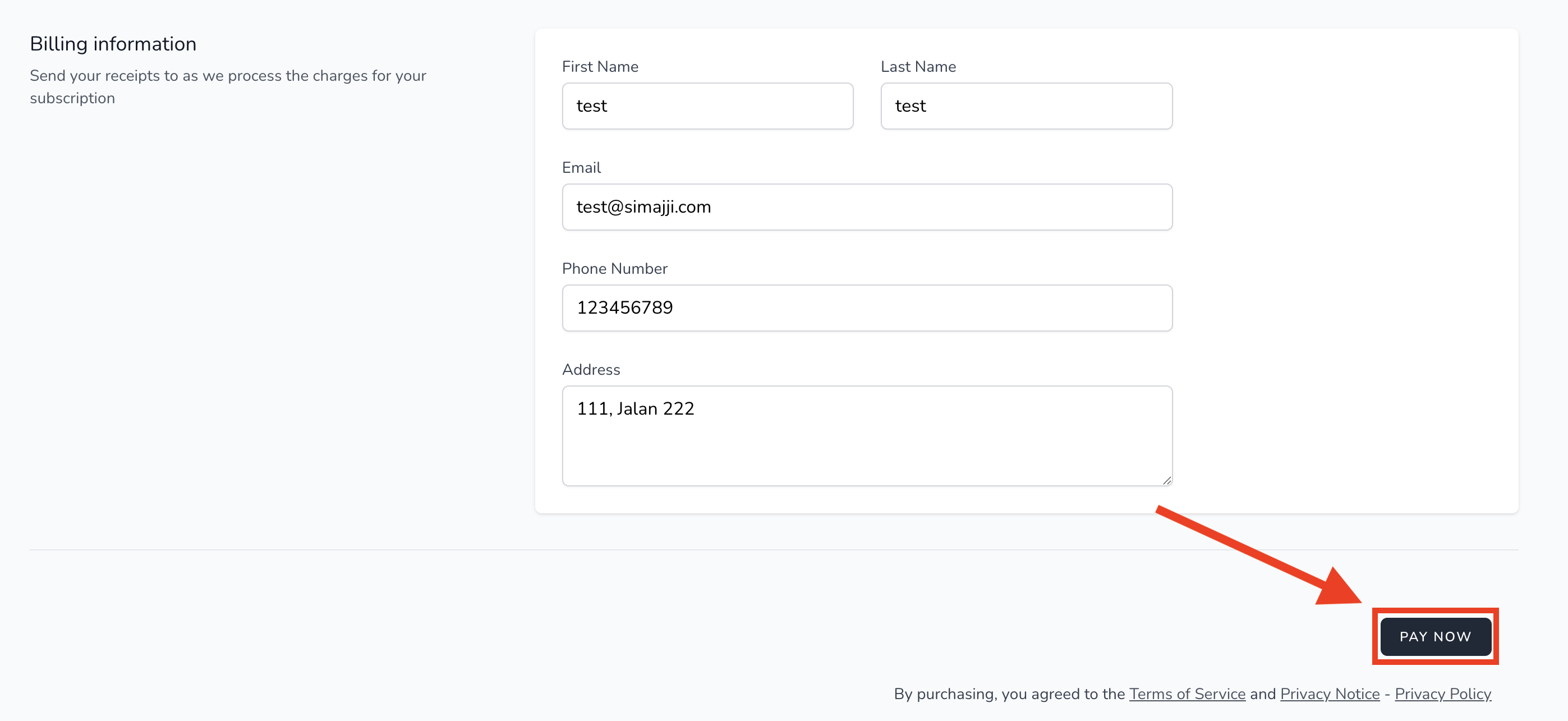
- Once double confirm again you had select the package, payment method, fill in the billing information and the domain information. Then you can "PAY NOW" button and complete the payment.
VERSI BAHASA MALAYSIA
- Register
- Sila klik pada pautan yang disediakan untuk melengkapkan proses pendaftaran. > https://spriicommerce.com/register
- Sila berikan maklumat yang diperlukan dalam borang.
- Verify Email
- Sila semak alamat e-mel yang anda gunakan untuk pendaftaran.
Sila cari dan klik pada butang berlabel "Verify Email Address".
- Login
- Untuk log masuk, klik pautan ini > https://spriicommerce.com/login
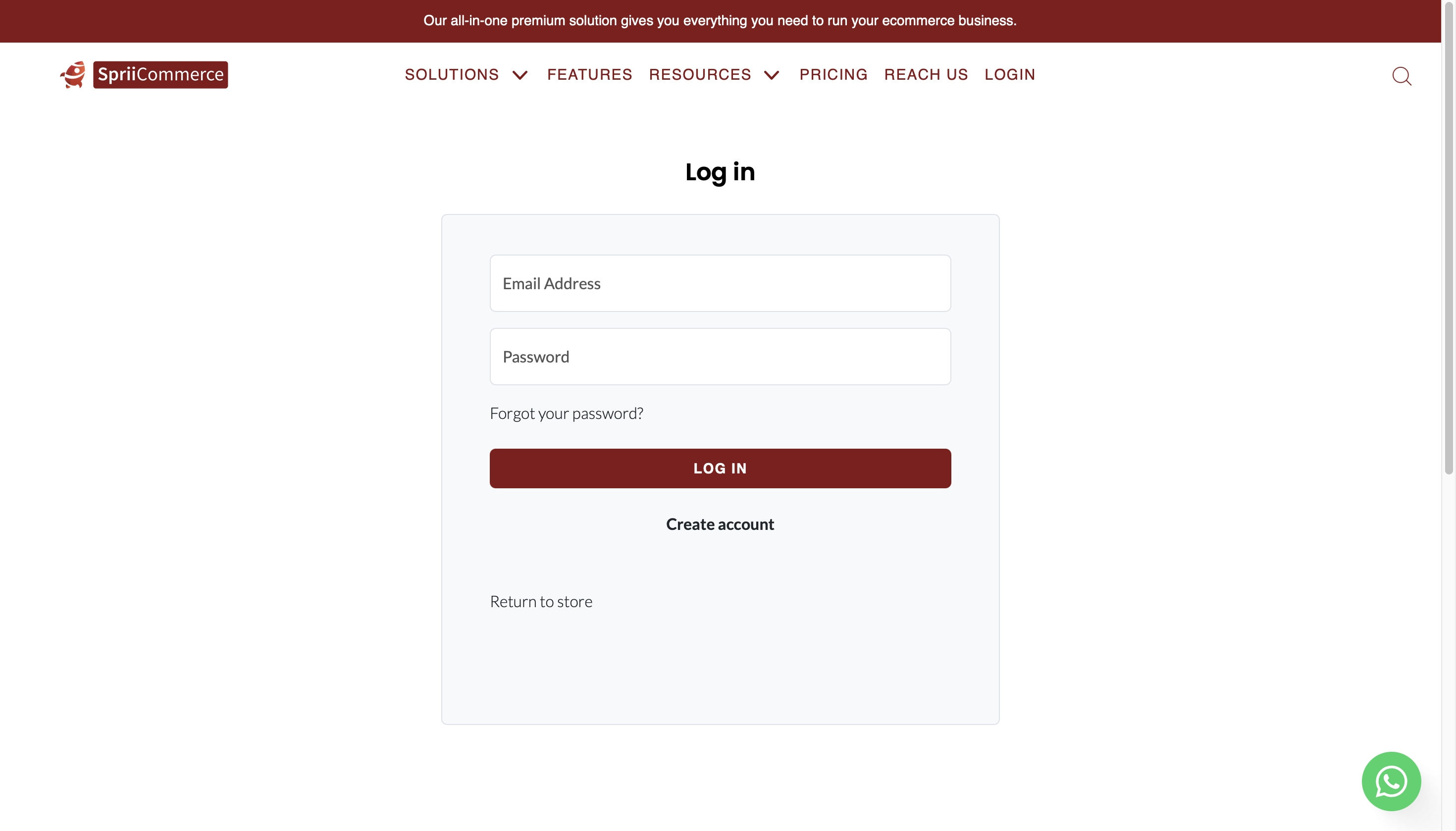
- Untuk log masuk, klik pautan ini > https://spriicommerce.com/login
- Change your plan
- Klik butang "CHANGE PLAN".
- Select your package
- Pilih pakej yang anda ingin langgan.
- Klik butang "I WANT THIS".
- Select the payment method
- Pilih kaedah pembayaran.
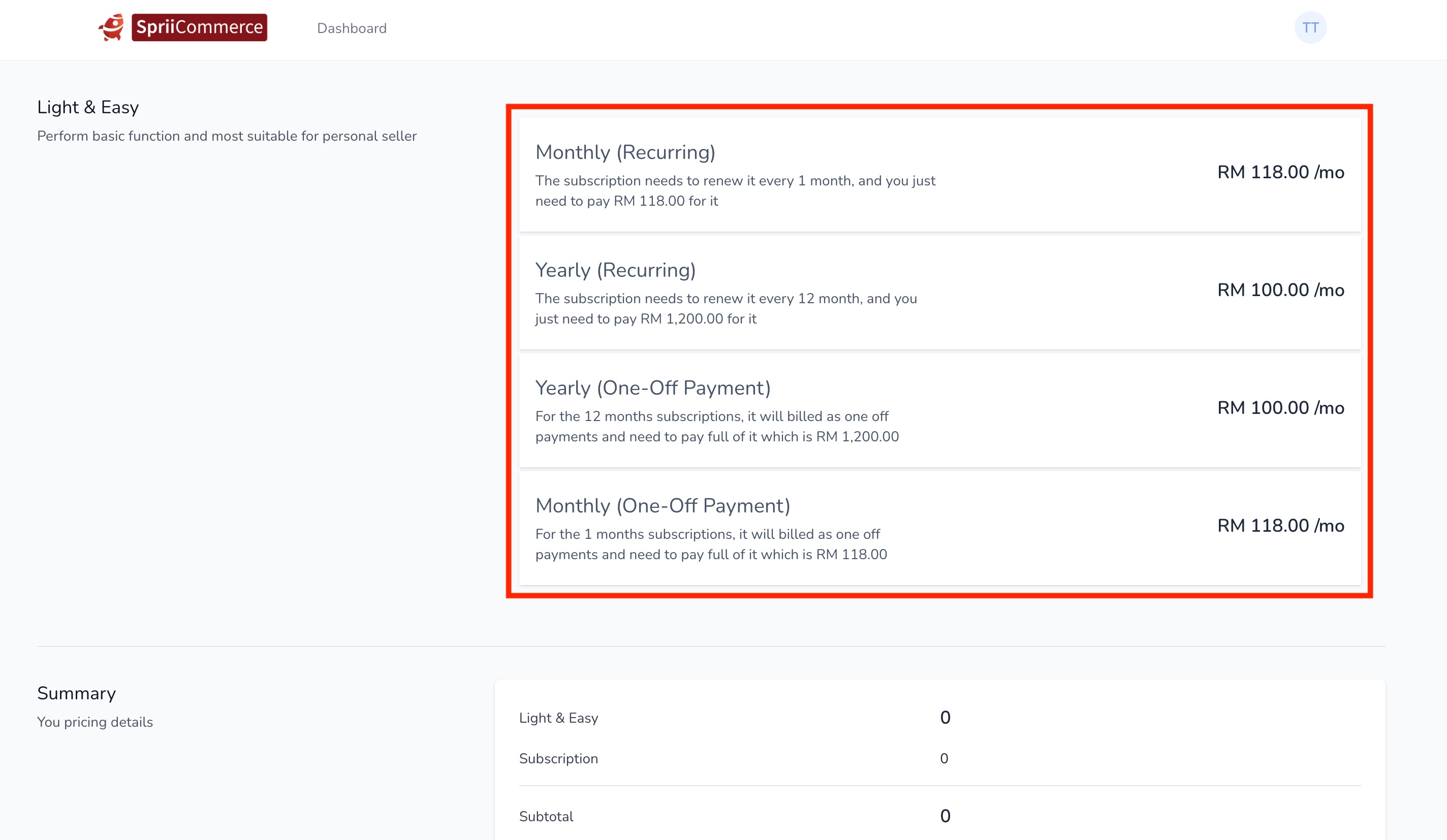
- Pilih kaedah pembayaran.
- Promo Code
- Isikan promo kode kalau ada.
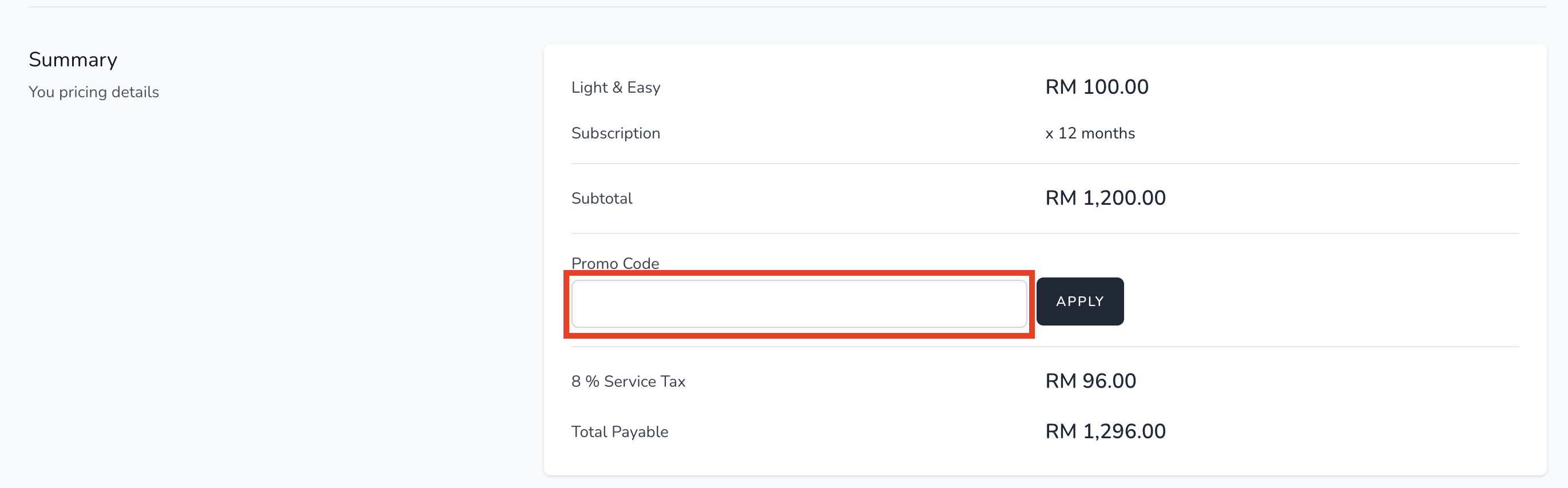
- Isikan promo kode kalau ada.
- Billing information
- Isikan maklumat pengebilan anda.
- Pay now
- Setelah mengesahkan sekali lagi anda telah memilih pakej, kaedah pembayaran, isikan maklumat pengebilan dan maklumat domain. Kemudian anda boleh butang "PAY NOW" dan selesaikan pembayaran.
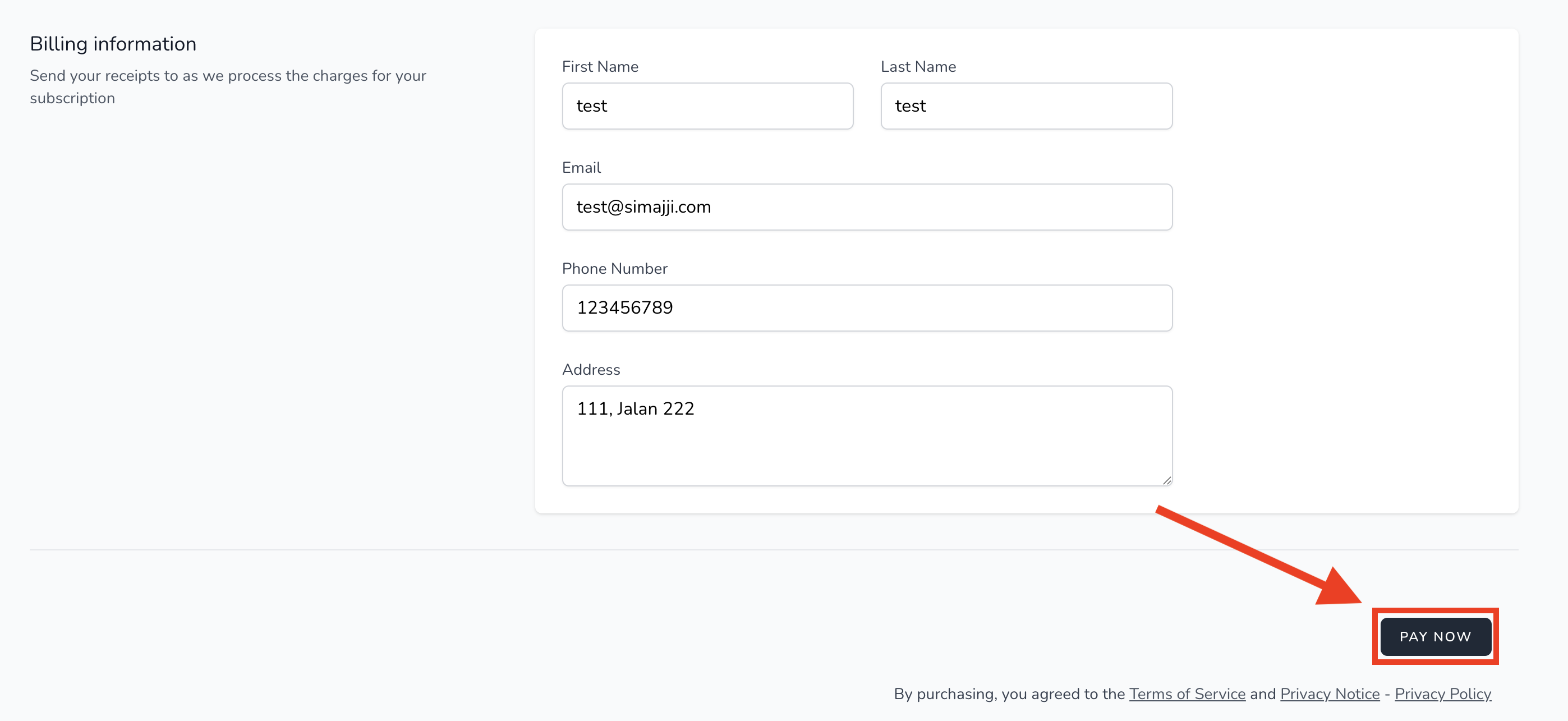
- Setelah mengesahkan sekali lagi anda telah memilih pakej, kaedah pembayaran, isikan maklumat pengebilan dan maklumat domain. Kemudian anda boleh butang "PAY NOW" dan selesaikan pembayaran.
Was this article helpful?
That’s Great!
Thank you for your feedback
Sorry! We couldn't be helpful
Thank you for your feedback
Feedback sent
We appreciate your effort and will try to fix the article