*RUJUK VERSI BAHASA MALAYSIA DI BAWAH*
A QR code system is an easy way for customers to scan a code using their phone and instantly get information. In business, QR codes make it easier for customers to make payments, view menus, fill in forms, or visit a website without typing anything. Just scan, and all the information appears immediately.
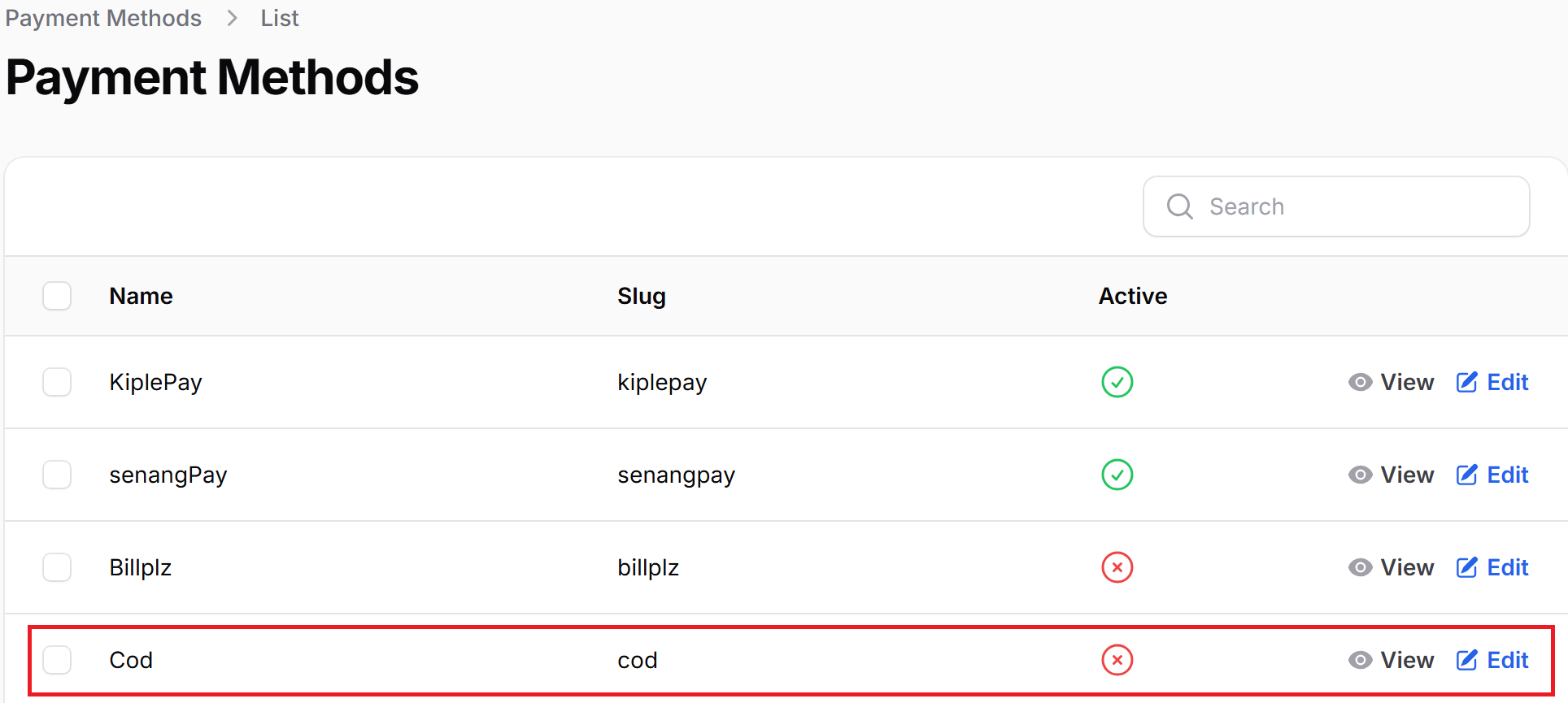
1. Go to your SpriiCommerce admin panel > Settings > Payment Method > Edit the COD section.
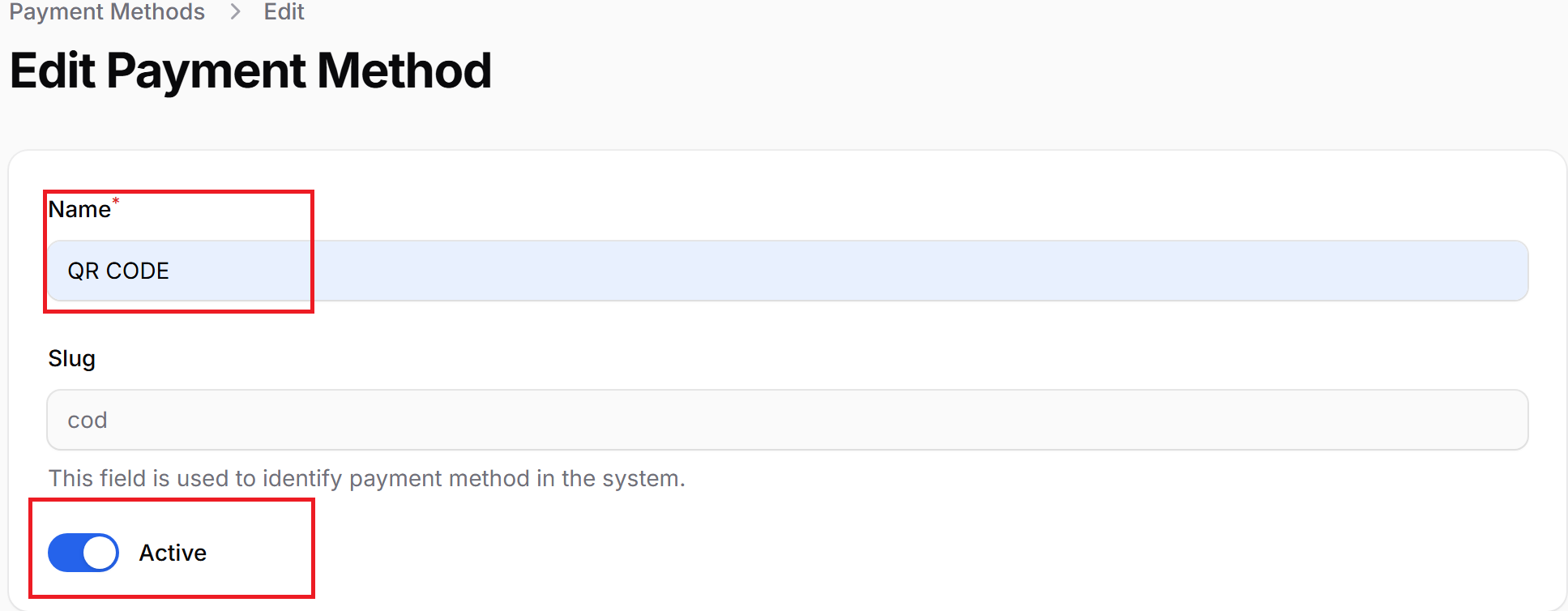
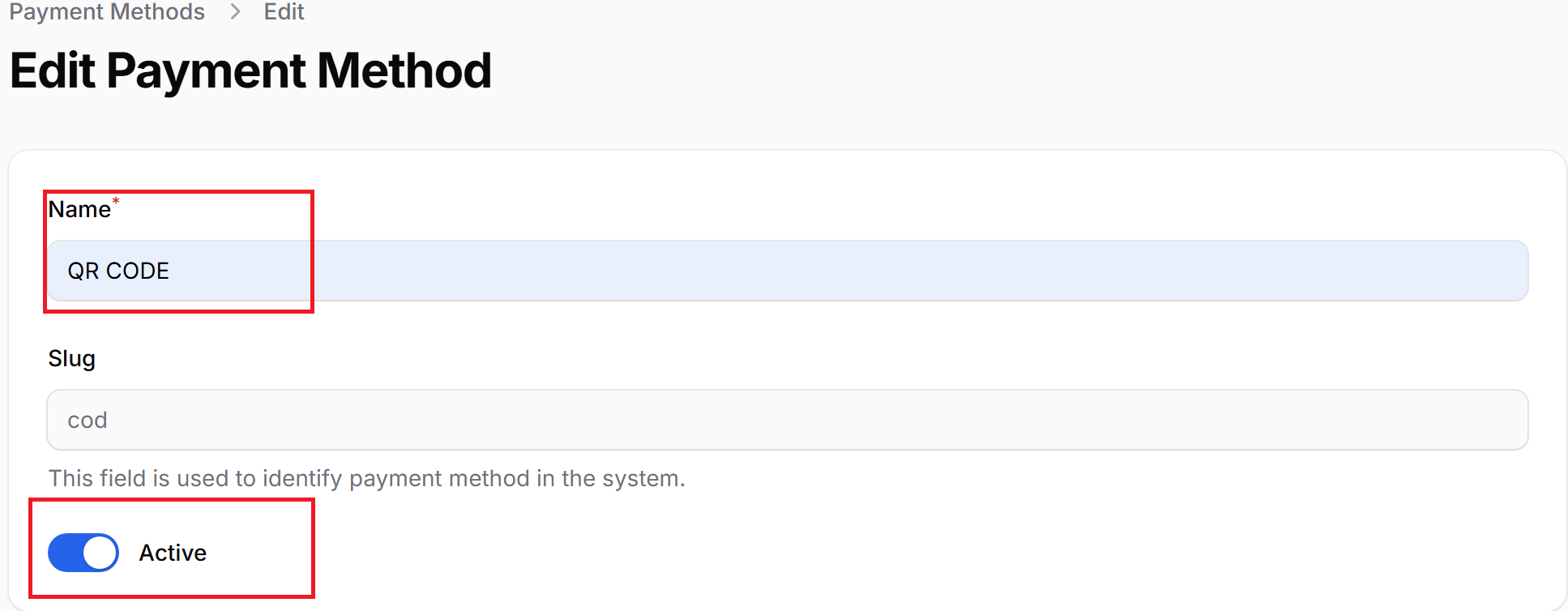
2. Key in the name and also tick the Active checkbox.
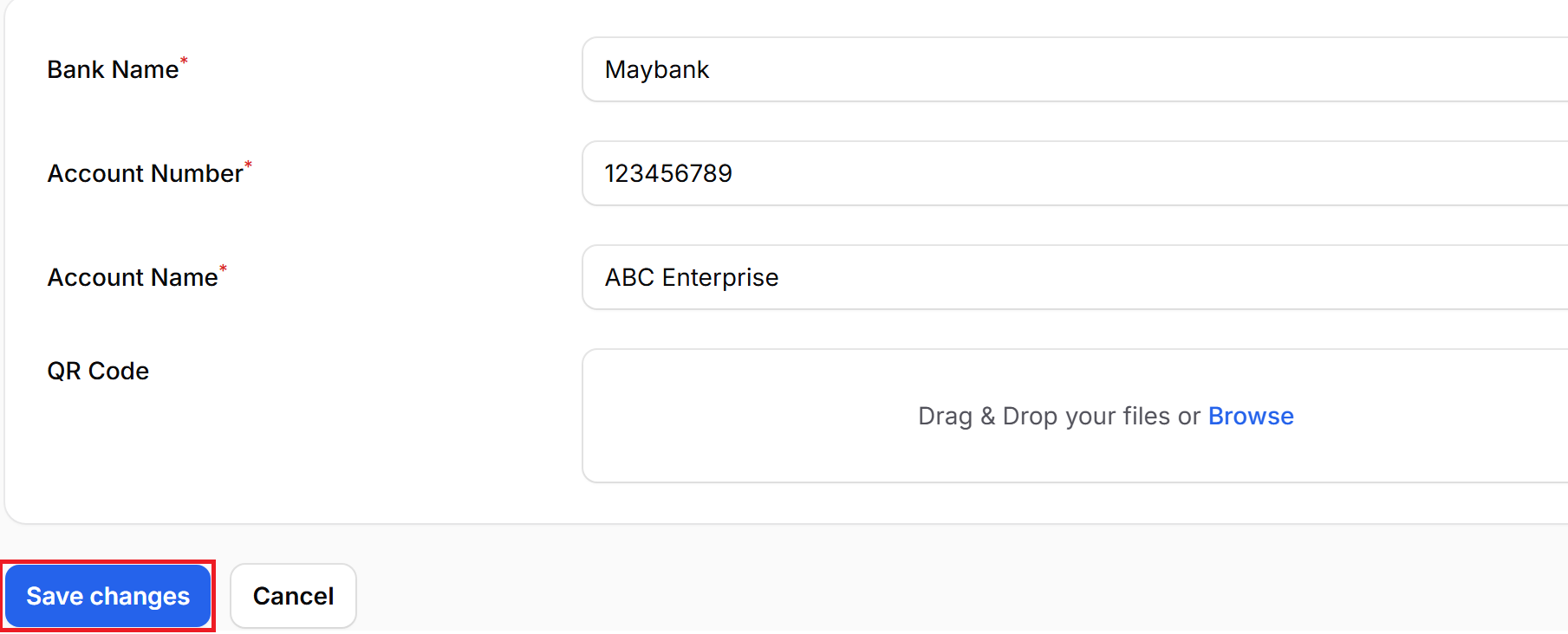
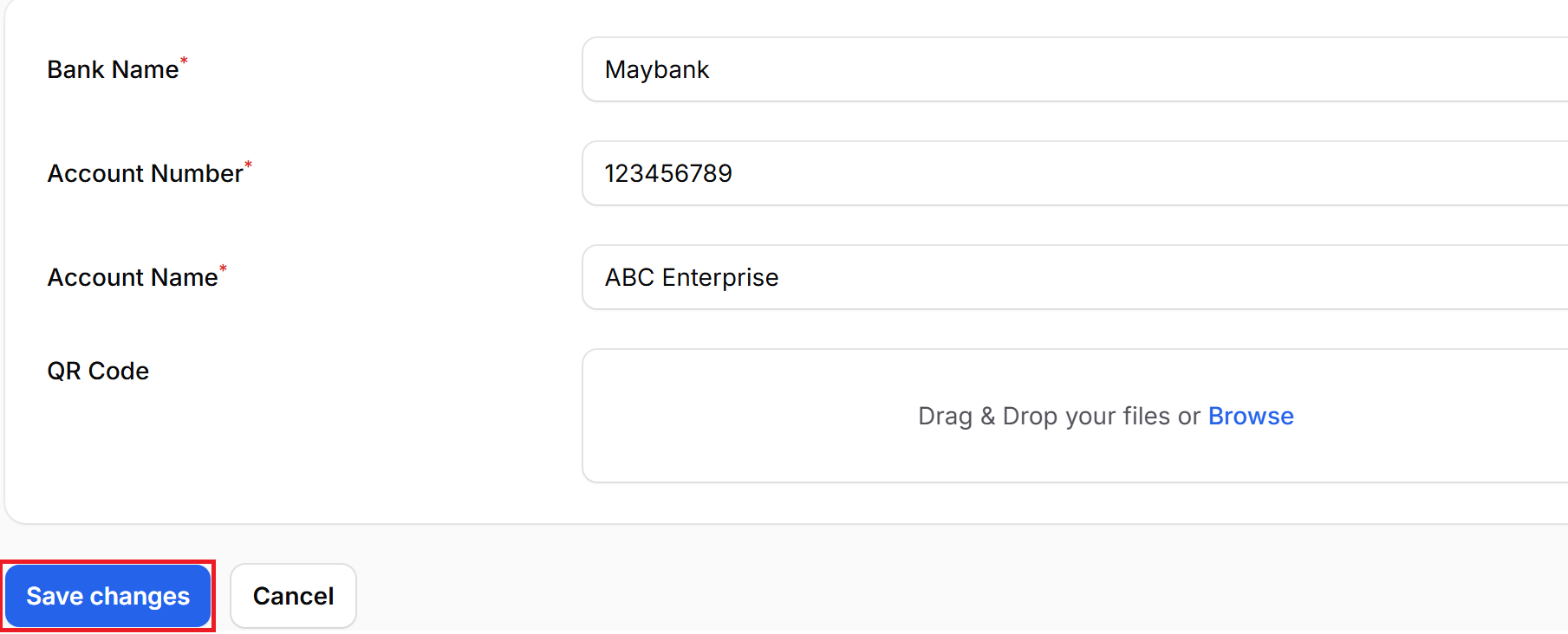
3. Fill in the details : Bank Name > Account Number > Account Name > Browse the QR Code. Then click save changes.
4. Once updated, it will appear as follows.
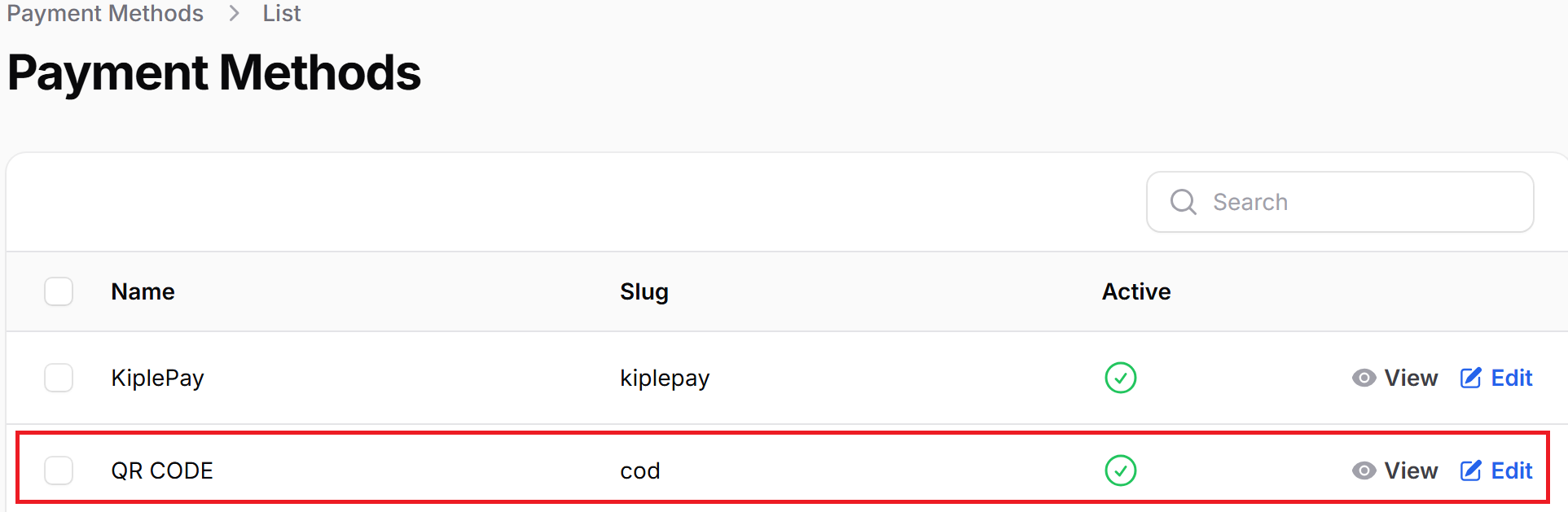
5.Make sure that your payment method status is "Active", then only allow the user to use this payment method.
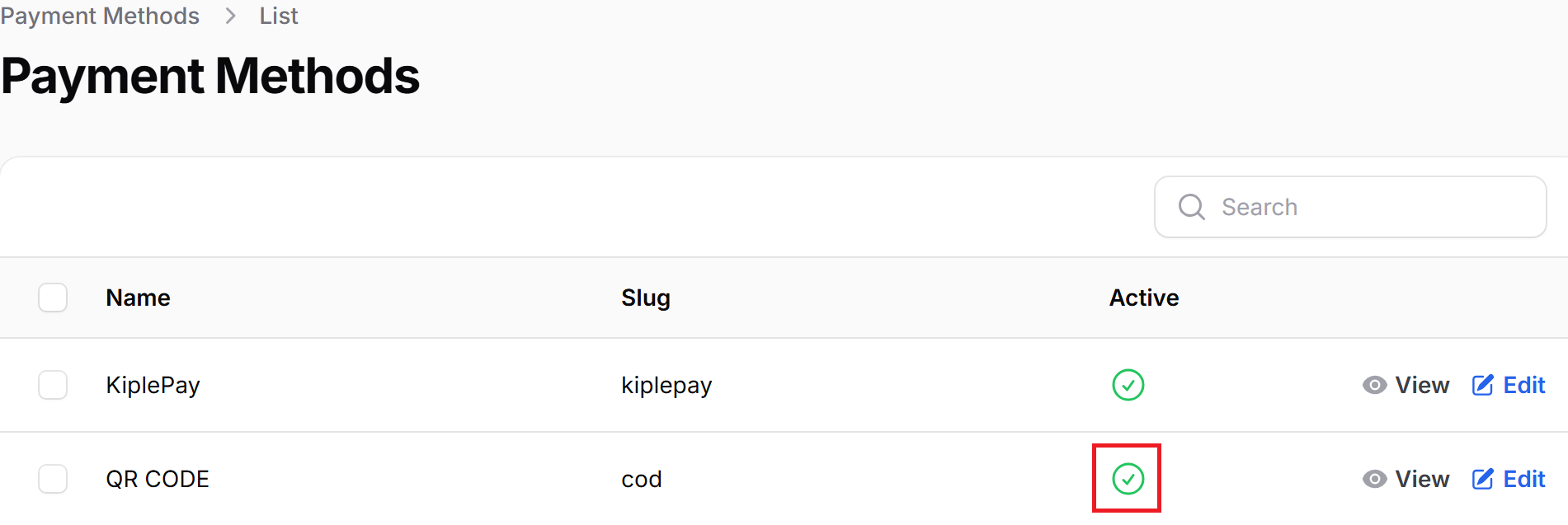
Note: If status green = Active, If status red = Deactive.
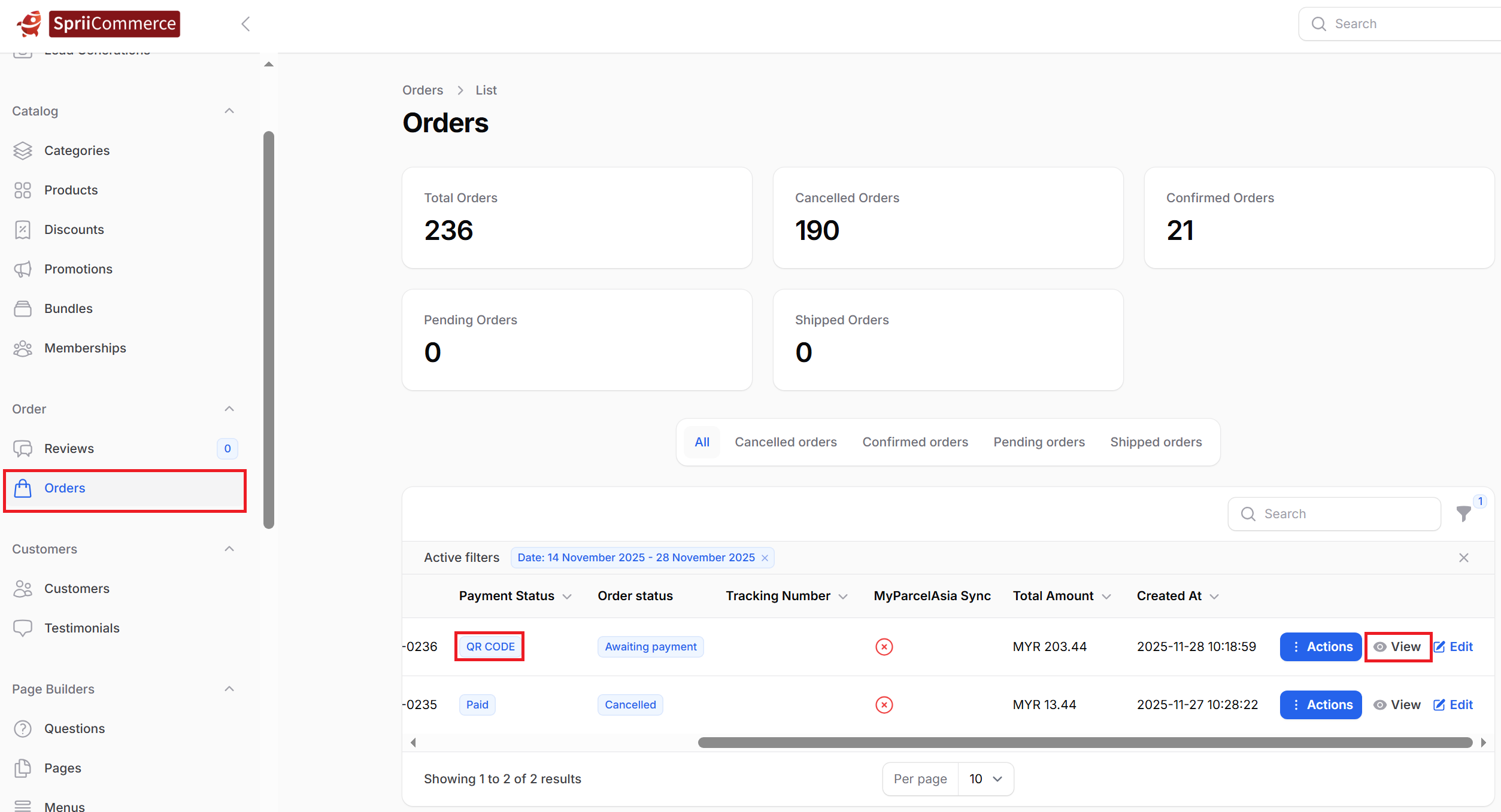
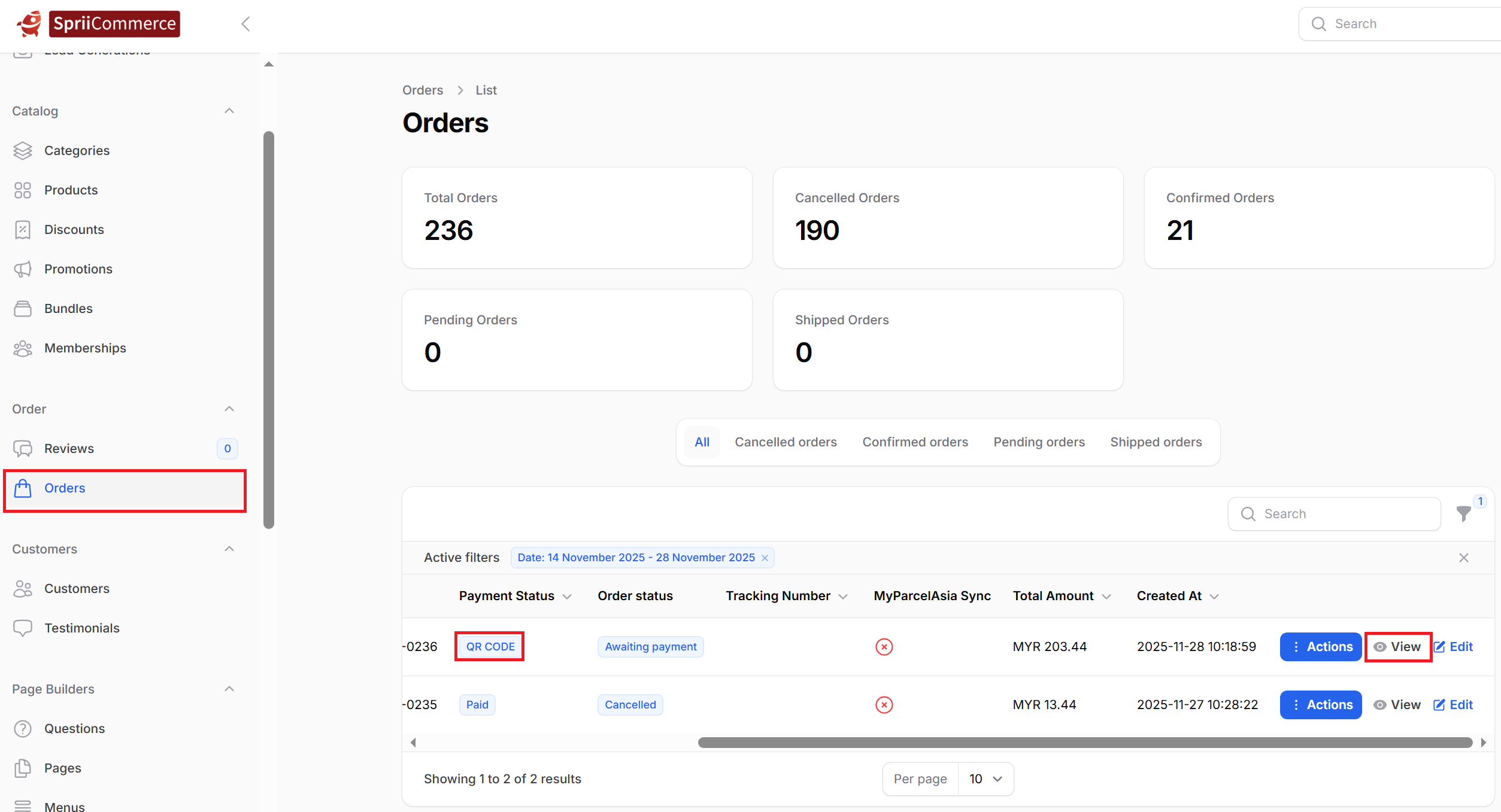
6. When a customer has using the QR Code method to make the transaction the payment status will show QR Code and after the customer has paid the payment you just need to go to Orders > All Orders and find that transaction and click view
to check the payment receipt. And also manually check the bank account transactions for verification.
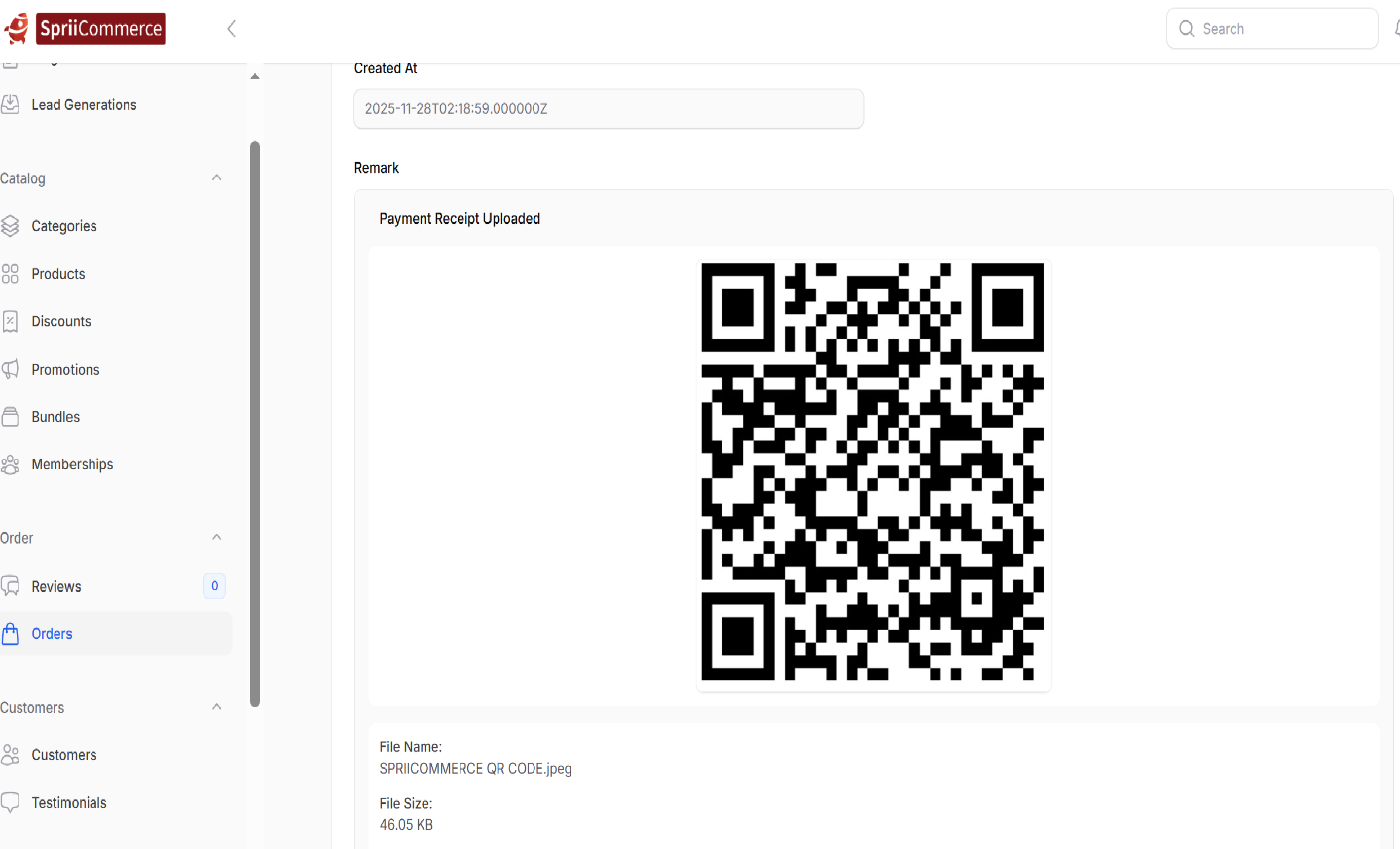
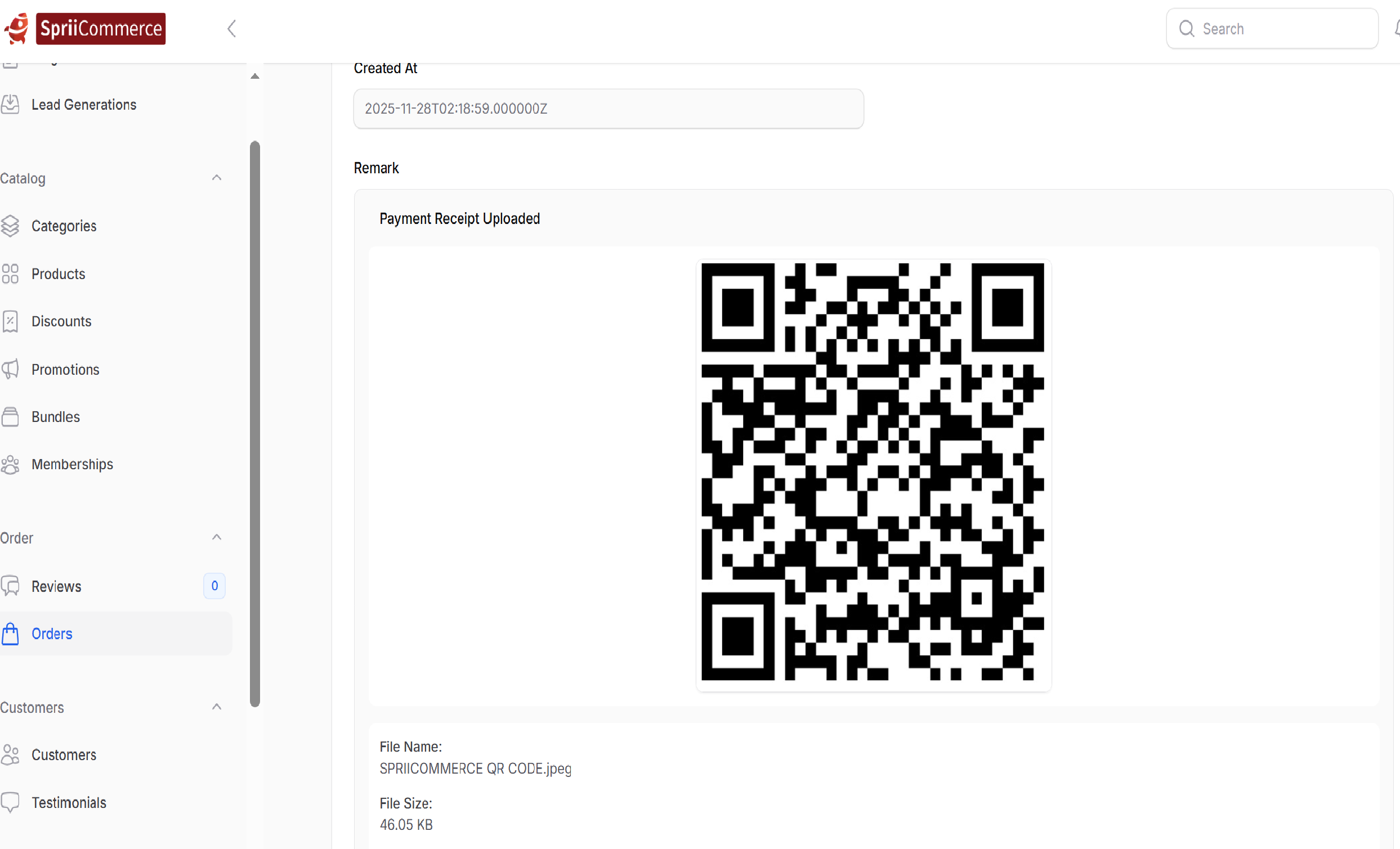
7. Example of an uploaded receipt.
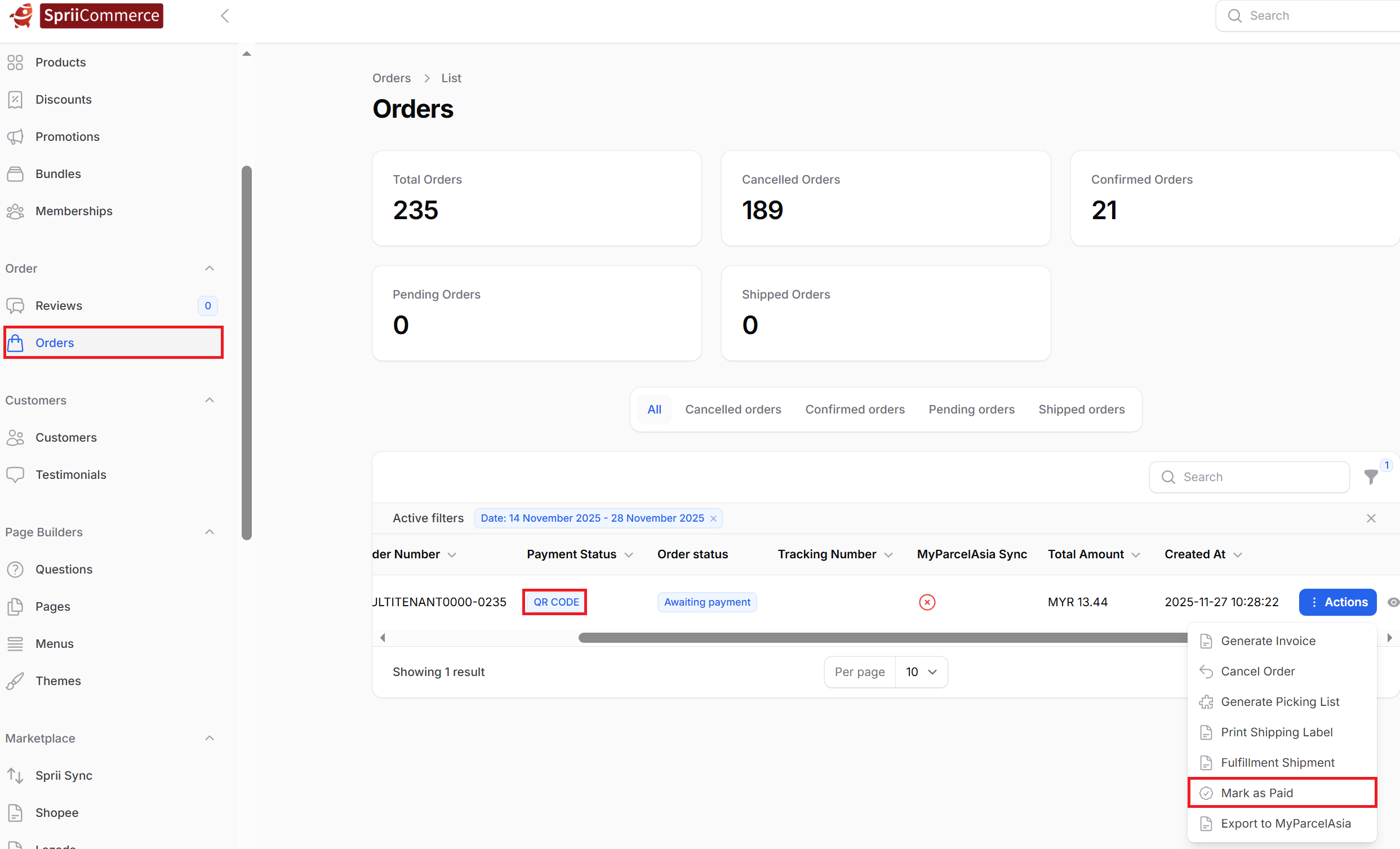
8. Only after verifying the receipt and confirming the funds have been received in the account, click the "Actions" dropdown list select the "Mark As Paid".
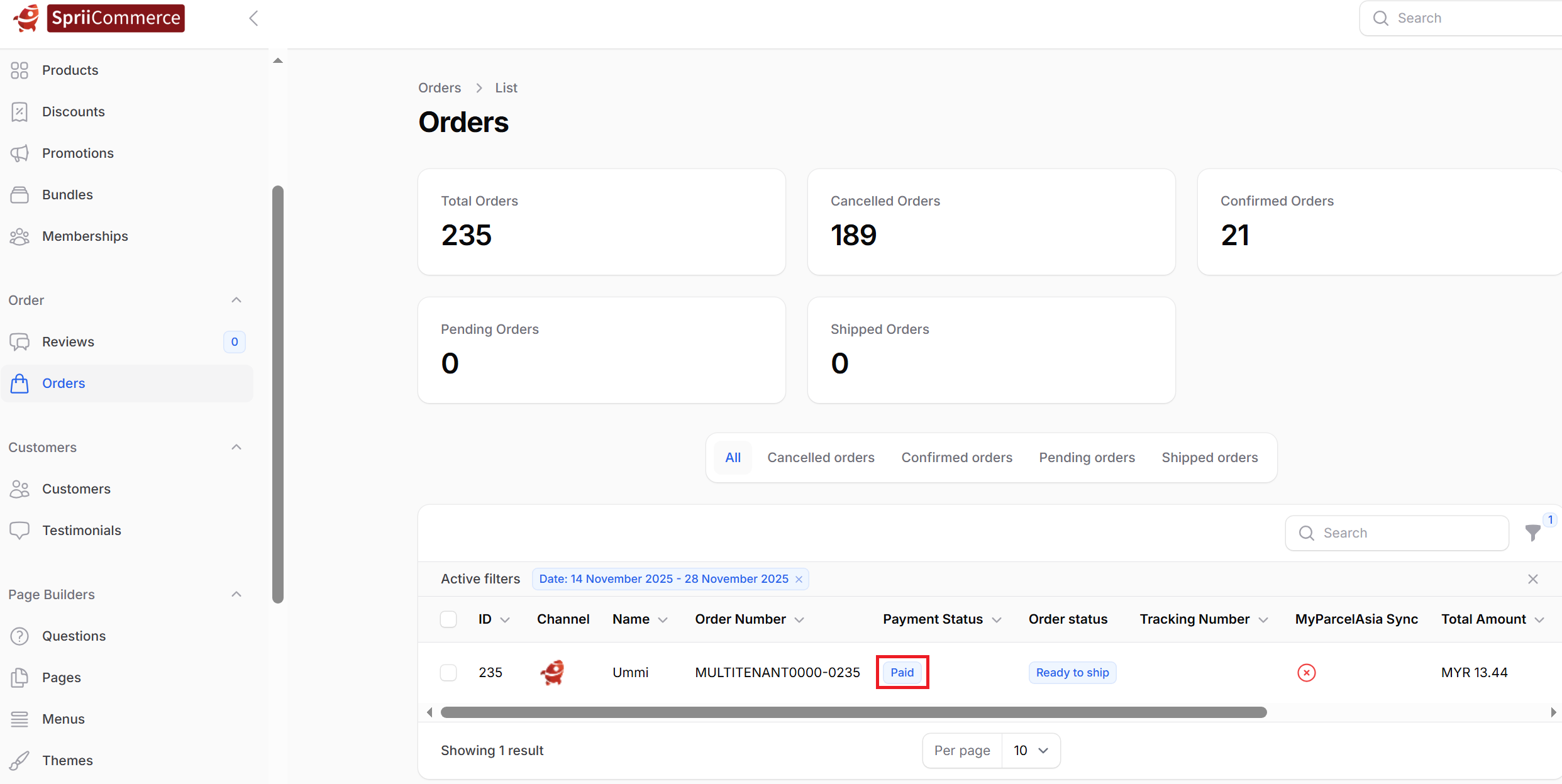
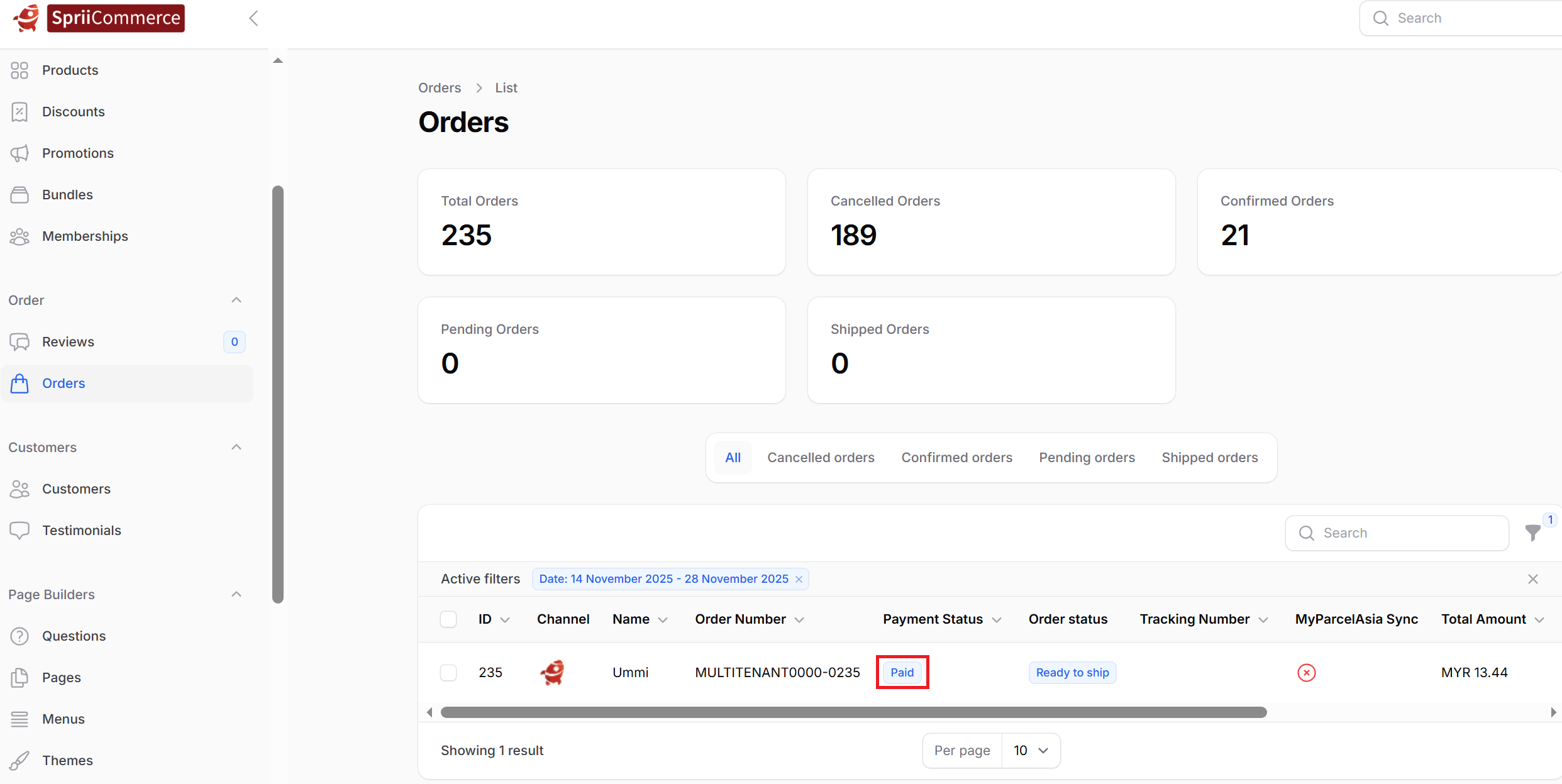
9. After you click the "Mark As Paid" button the payment status will change to "Paid".
VERSI BAHASA MALAYSIA
Sistem kod QR adalah cara mudah untuk pelanggan mengimbas kod menggunakan telefon mereka dan segera mendapatkan maklumat. Dalam perniagaan, kod QR memudahkan pelanggan membuat pembayaran, melihat menu, mengisi borang, atau melawat laman web tanpa perlu menaip apa-apa. Cuma imbas, dan semua maklumat akan dipaparkan dengan segera.
1. Pergi ke SpriiCommerce anda Admin panel > Setting > Payment method > Edit pada bahagian COD.

2. Isikan pada bahagian nama kepada 'QR Code' dan tekan butang 'Active'.
3. Isikan butiran di bawah : Bank Name > Account Number > Account Name > Browse the QR Code.Kemudian tekan butang 'save changes'.
4. Setelah dikemas kini, ia akan kelihatan seperti berikut.
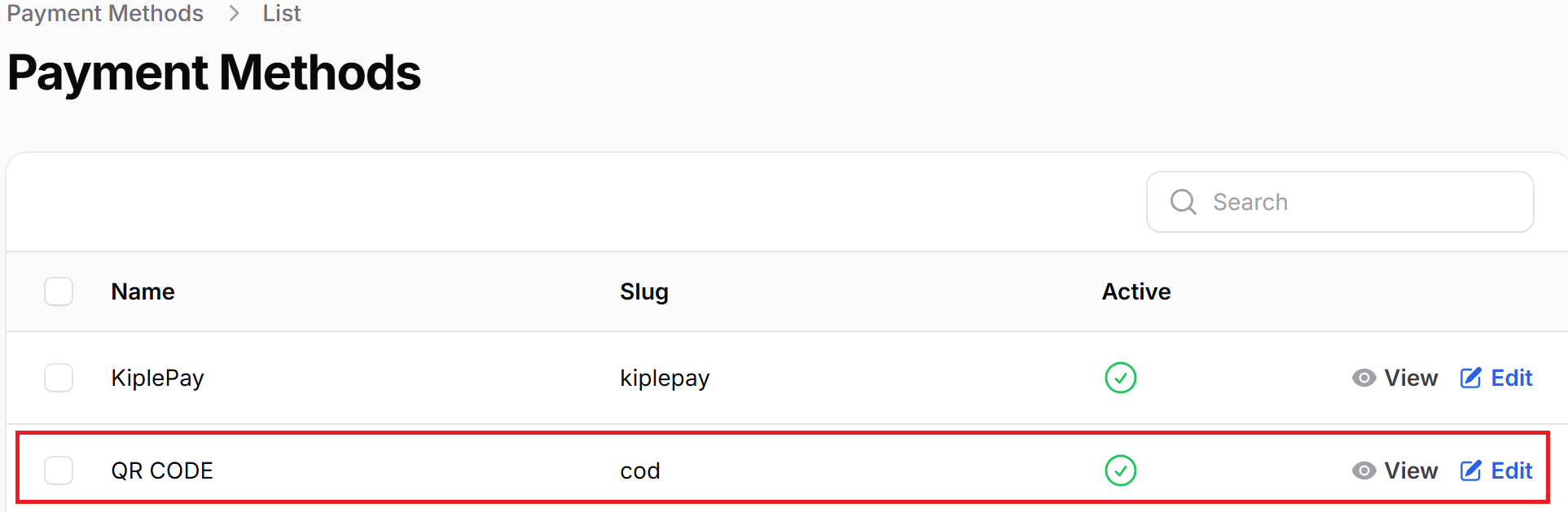
5.Pastikan status kaedah pembayaran anda adalah 'Active', kemudian baru benarkan pengguna menggunakan kaedah pembayaran ini.
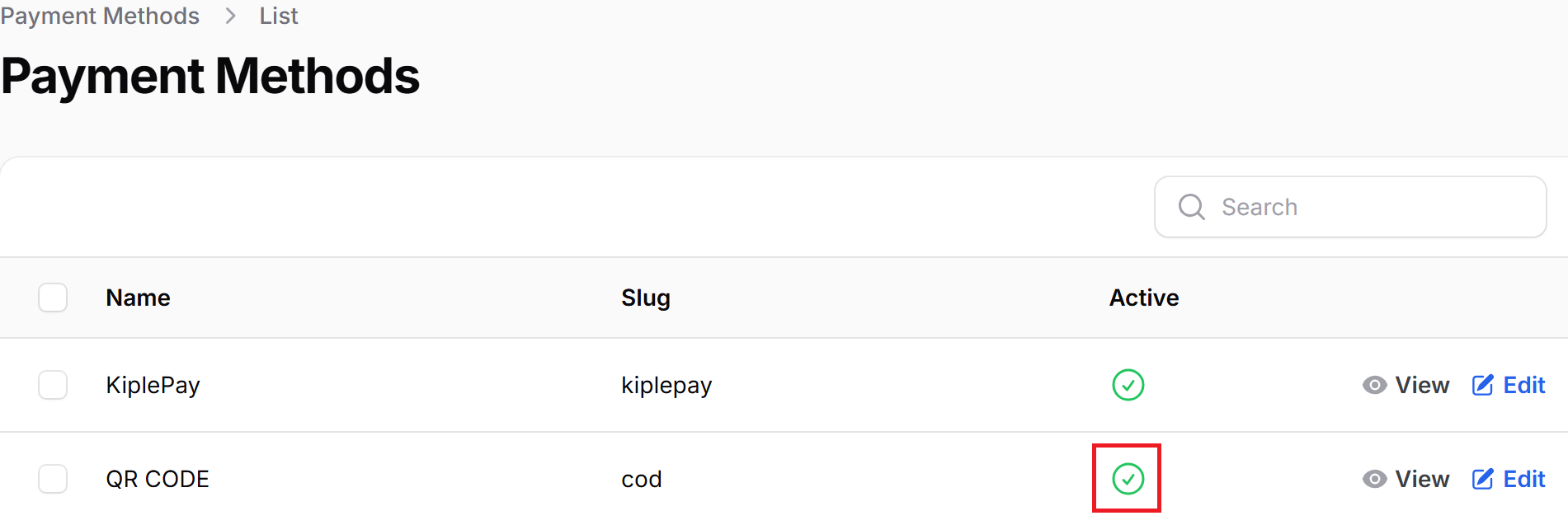
Nota: Jika status hijau = Aktif, JIka status merah = Tidak aktif.
6. Apabila pelanggan menggunakan kaedah 'QR Code' untuk membuat transaksi, status pembayaran akan dipaparkan sebagai 'QR Code'. Selepas pelanggan membuat pembayaran, anda hanya perlu pergi ke 'Orders > All Orders', cari transaksi tersebut dan klik 'View' untuk menyemak resit pembayaran. Selain itu juga, semak secara manual transaksi dalam akaun bank untuk pengesahan.
7. Contoh resit yang telah dimuat naik.
8. Hanya selepas mengesahkan resit dan memastikan dana telah diterima dalam akaun, klik pada 'Action' dan tekan 'Mark as Paid'.
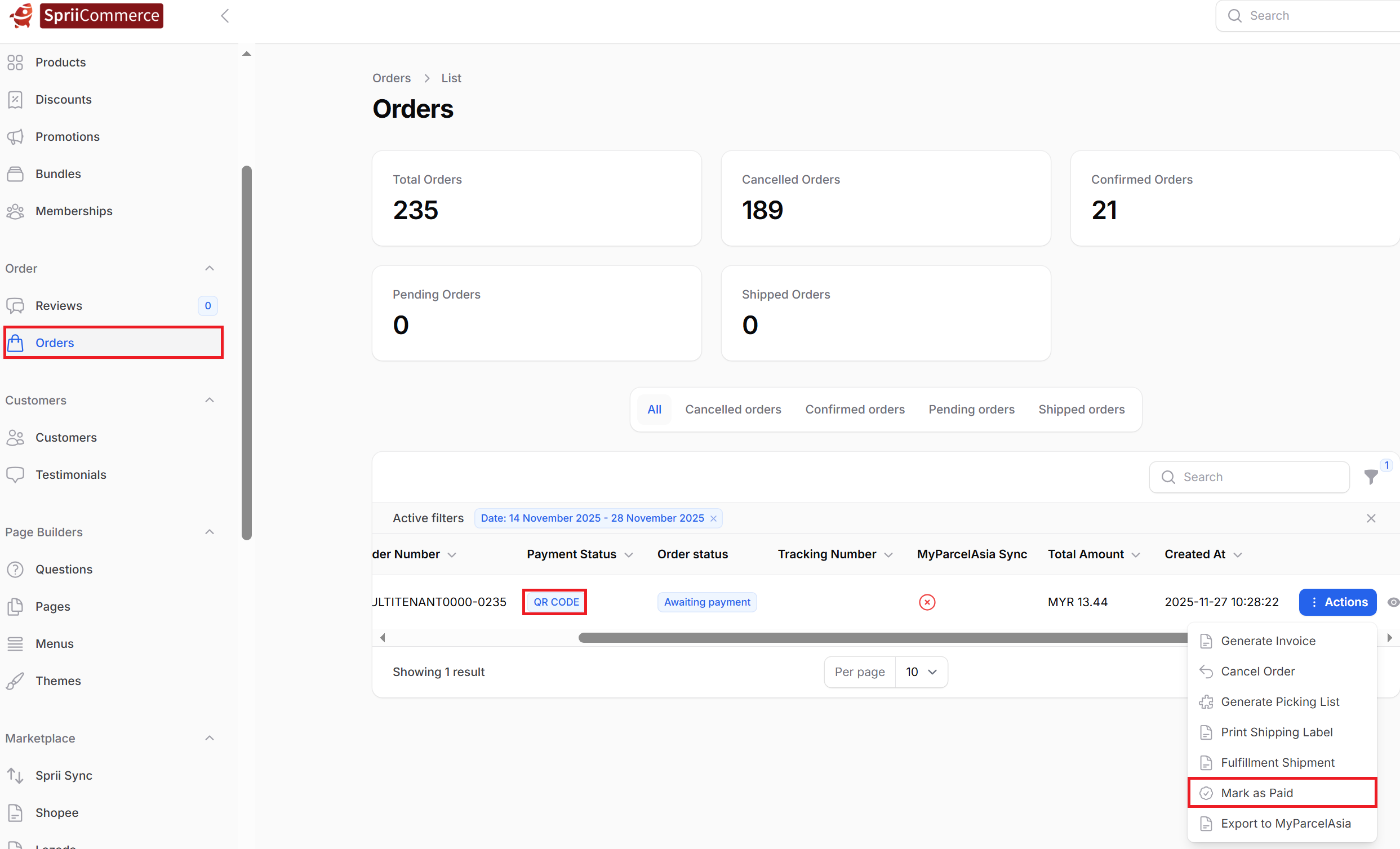
9. Selepas anda klik butang 'Mark as Paid', status pembayaran akan berubah kepada 'Paid'.
Was this article helpful?
That’s Great!
Thank you for your feedback
Sorry! We couldn't be helpful
Thank you for your feedback
Feedback sent
We appreciate your effort and will try to fix the article